
How is a withdrawal done on The True Trade? Users of The True Trade can withdraw assets from their accounts and transfer them to their wallets by following these steps: 1. Copy the receiving address from the wallet. 2. Log into your The True Trade account and select the Withdraw option from the Assets menu. 3. Enter your desired withdrawal amount and the destination wallet address. After confirming these steps, the requested amount will be deducted from your account and deposited into your wallet within seconds or minutes.
Below, we have provided a visual step-by-step guide on the withdrawal process from The True Trade exchange, along with instructions on how to find your wallet’s receiving address.
[Click here to start trading and receive a $100 bonus]
True Trade Exchange Withdrawal Tutorial Video
In this video content, we have provided a tutorial on how to withdraw from the True Trade website using its new design:
(Video Placeholder)
Steps to Withdraw from The True Trade [Visual Withdrawal Guide]
Withdrawing from The True Trade involves two main stages. First, you must access your wallet and copy the receiving address. Second, from your user panel on The True Trade, specify the amount of cryptocurrency you wish to withdraw and enter the wallet address. Here is a step-by-step visual guide to withdrawing from The True Trade:
1. Log into the Website and Select ASSETS

As the first step to withdraw your balance from The True Trade exchange, log into your account and click on the ASSETS button located in the top right corner of the menu.
2. Select the Withdraw Option

In the opened menu, you will see three options: one for deposits and another for withdrawals. Click on the Withdraw option.
3. Complete The True Trade Withdrawal Form
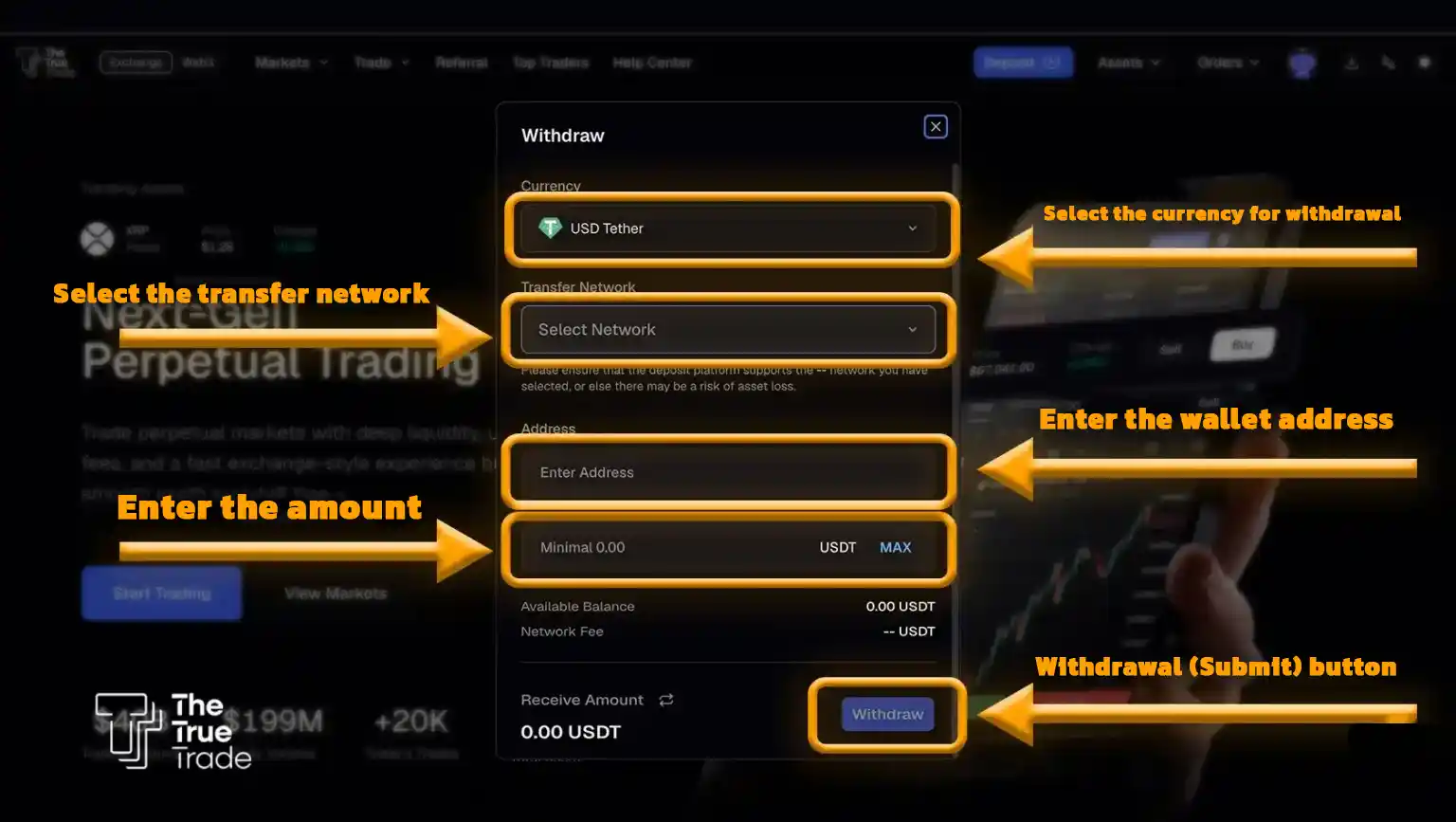
At this stage, a form will open. In the first field, select your desired cryptocurrency (e.g., Tether). In the next field, select the intended blockchain network, such as BNB. In the third field, input the destination wallet’s receiving address (which we will explain in the next step). Finally, in the fourth field, enter the amount of cryptocurrency you wish to withdraw. Click the submit button and wait for the transaction to complete.
4. Find the Wallet’s Receiving Address
To find your wallet’s receiving address, log into your wallet, look for the Receive option, and click on it.
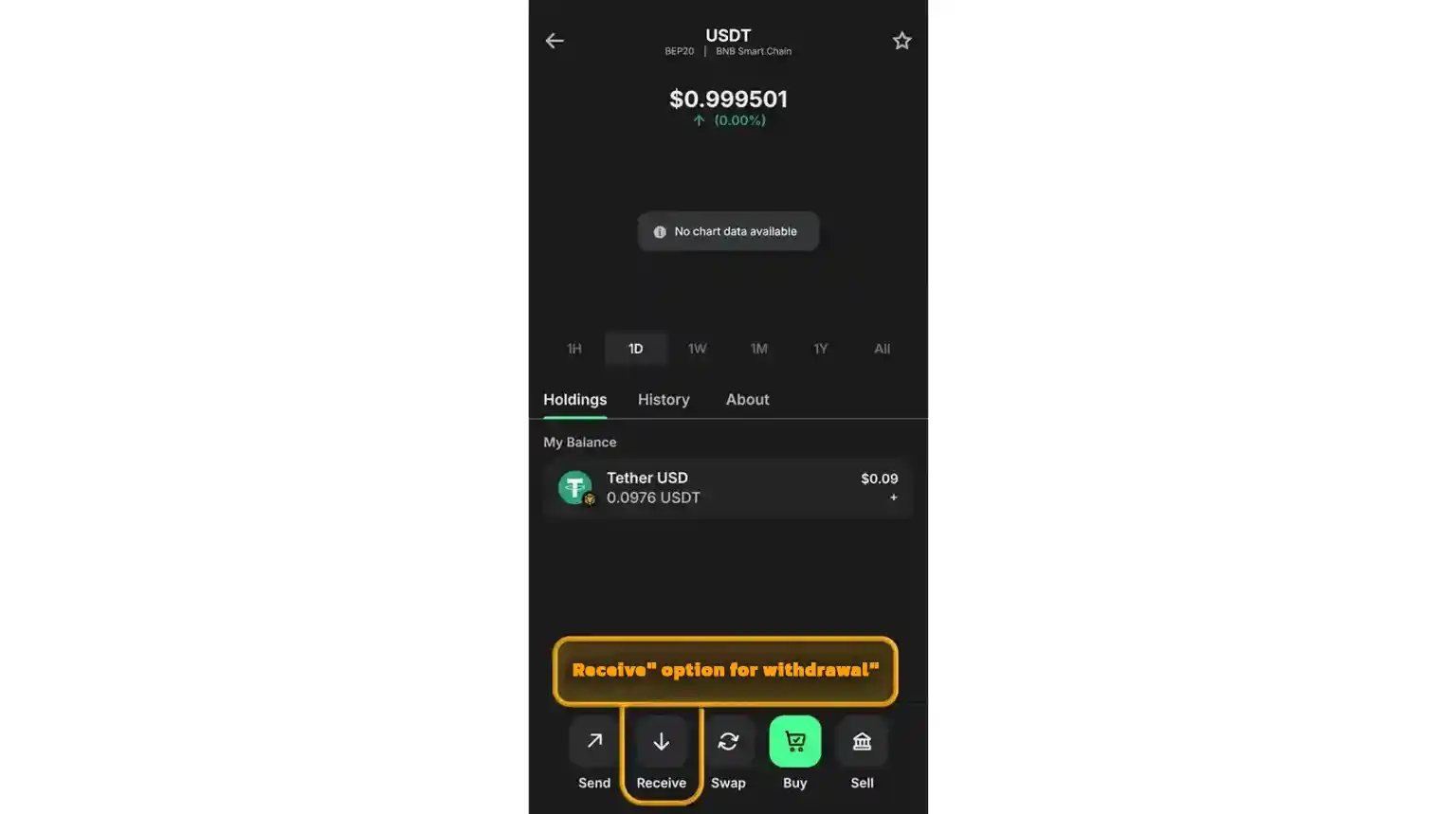
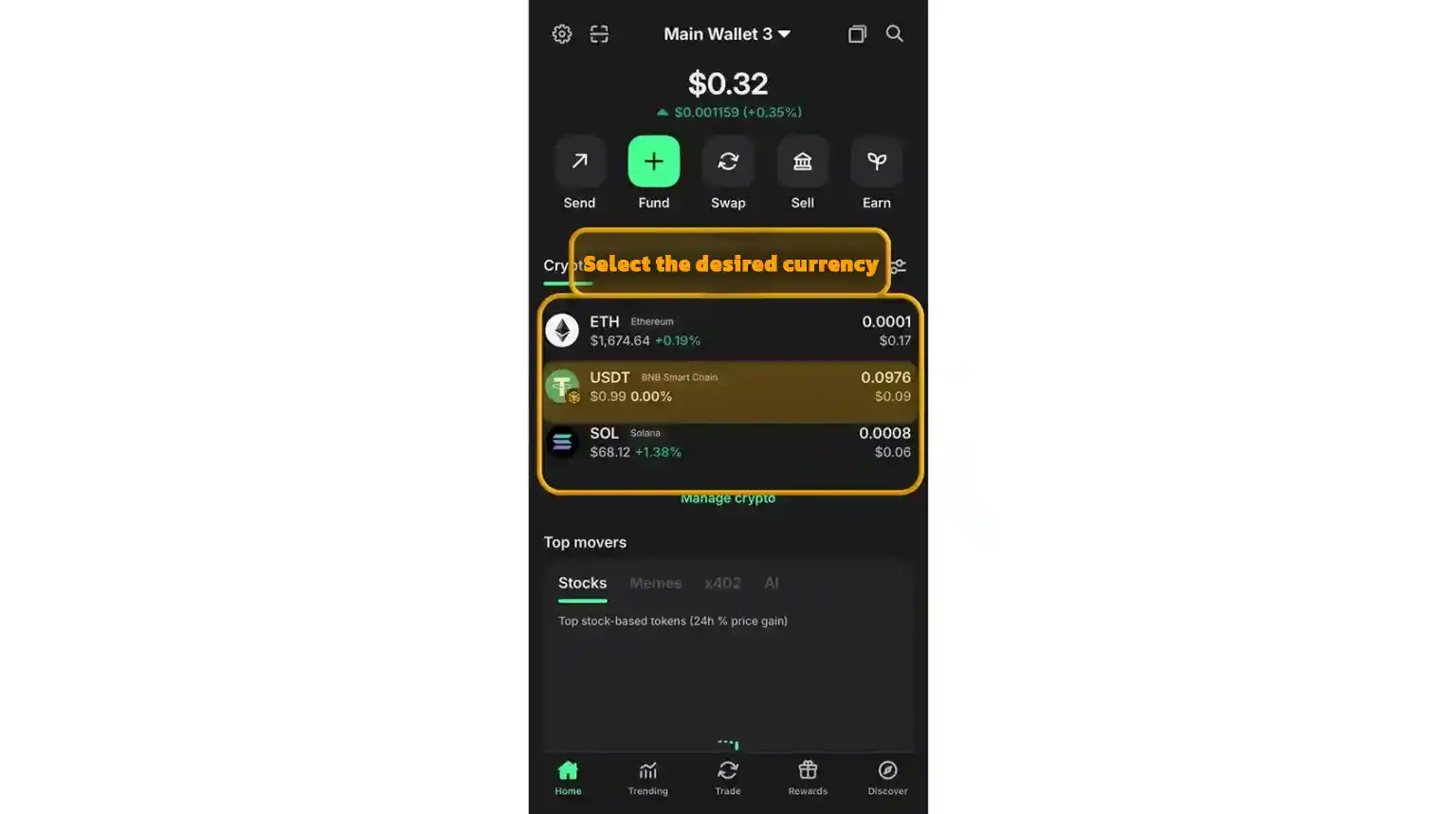
After clicking Receive, a screen similar to the image below will open. Select your desired cryptocurrency (the coin you want to transfer from the exchange to your wallet).
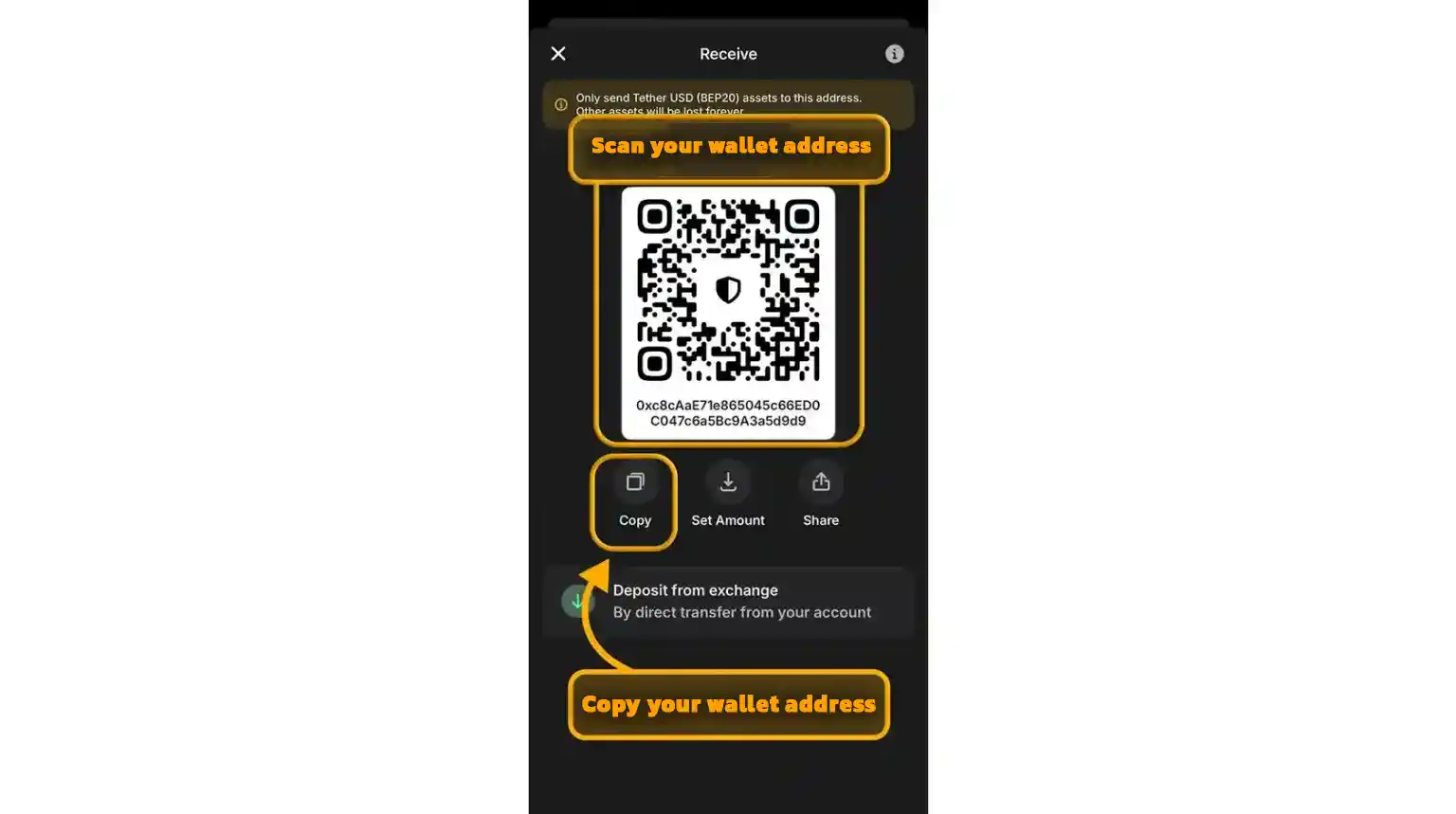
Next, the wallet will generate a unique address for you. You must copy this and enter it into the exchange to complete the withdrawal so the cryptocurrency can be routed properly. You can do this by either copying the text address or scanning the QR code.
[Click here to start trading and receive a $100 bonus]
True Trade Exchange Withdrawal Status Table
Like any other exchange, withdrawing from The True Trade has its specific steps and details. Although withdrawals are processed very quickly, transferring the balance to the destination wallet may occasionally face delays due to reasons we will explain below. Generally, when you submit a withdrawal request, the amount is deducted from your True Trade account and enters your wallet within one to two minutes.
However, in other cases—such as network congestion, security checks for large amounts, or an incorrect destination wallet address—the transaction might not complete immediately and will remain in a pending state. Your withdrawal status on The True Trade will fall into one of the following three categories:
| Withdrawal Status | Description |
| Pending | The withdrawal request has been submitted and will be approved shortly. If this status persists for too long, contact True Trade support. |
| Accept | The amount has been deducted from your account, and the withdrawal process was completed successfully. |
| Refund | The withdrawal request was canceled for specific reasons, and the amount has been returned to your account. |
[Join the Telegram channel to receive free trading signals]
Important Notes Before Withdrawing from The True Trade
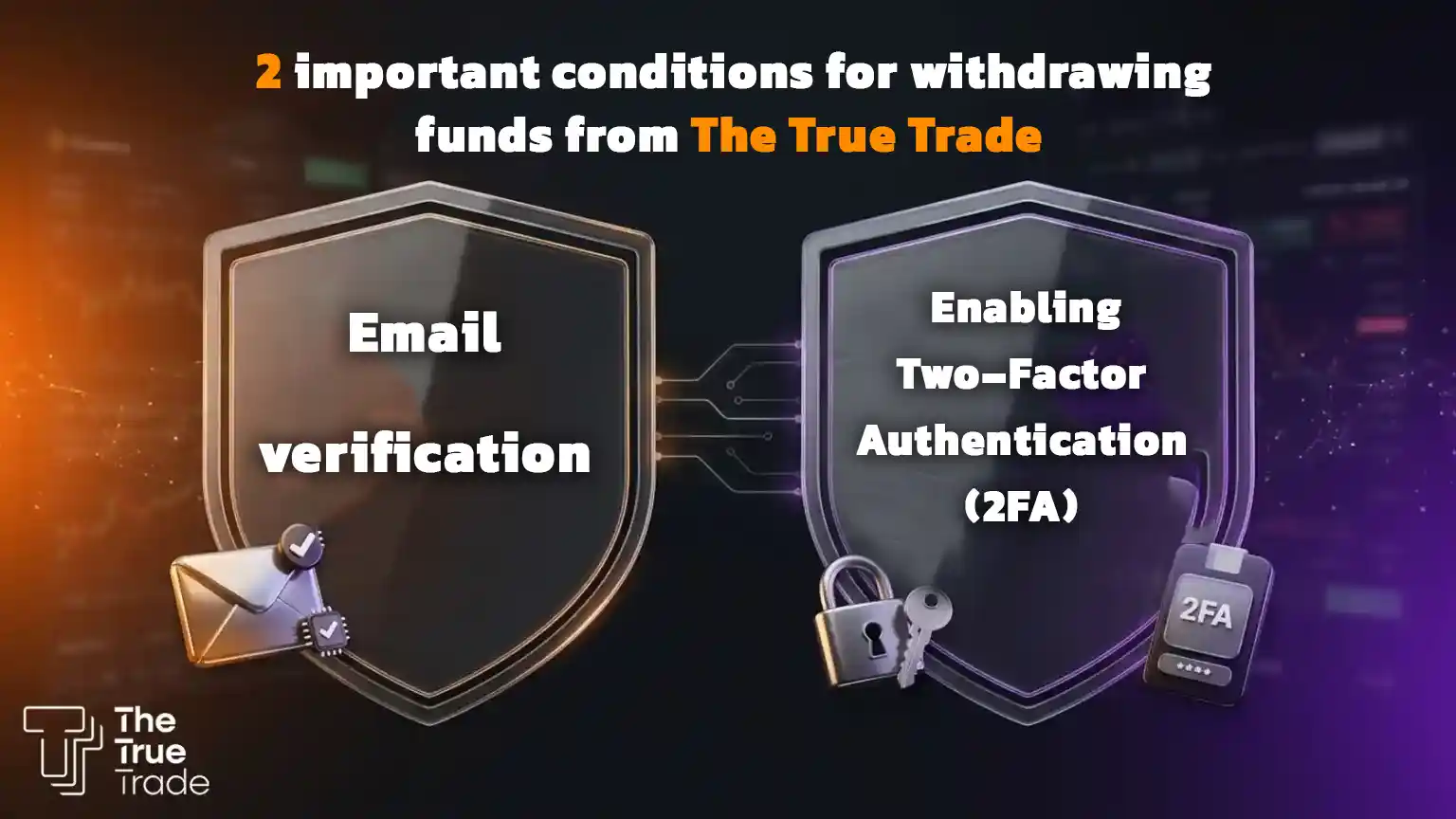
Before submitting a withdrawal request on The True Trade exchange, you must enable a few security prerequisites on your account. Otherwise, you will not be able to withdraw funds.
1. Verify Your Email
After creating an account, go to the Settings section and verify your email address. As long as your account email remains unverified, withdrawing assets from The True Trade is not possible.
2. Enable Two-Factor Authentication (2FA)
To enhance account security and prevent unauthorized withdrawals, you must enable the Two-Factor Authentication (2FA) feature. To do this:
- Go to Settings.
- Open the Security section.
- Select the 2FA option.
- Install the Google Authenticator app on your smartphone.
- Scan the displayed QR code with the app and enter the generated 6-digit code.
Once 2FA is enabled, you will be required to enter the code generated by Google Authenticator every time you submit a withdrawal request. This security layer protects your assets from unauthorized access.
Important Note: If you change your mobile phone or intend to delete the Google Authenticator app, make sure to keep the Backup Key in a safe place. Otherwise, you may face severe issues logging into your account or withdrawing assets.
Where to View the Withdrawal History on The True Trade?
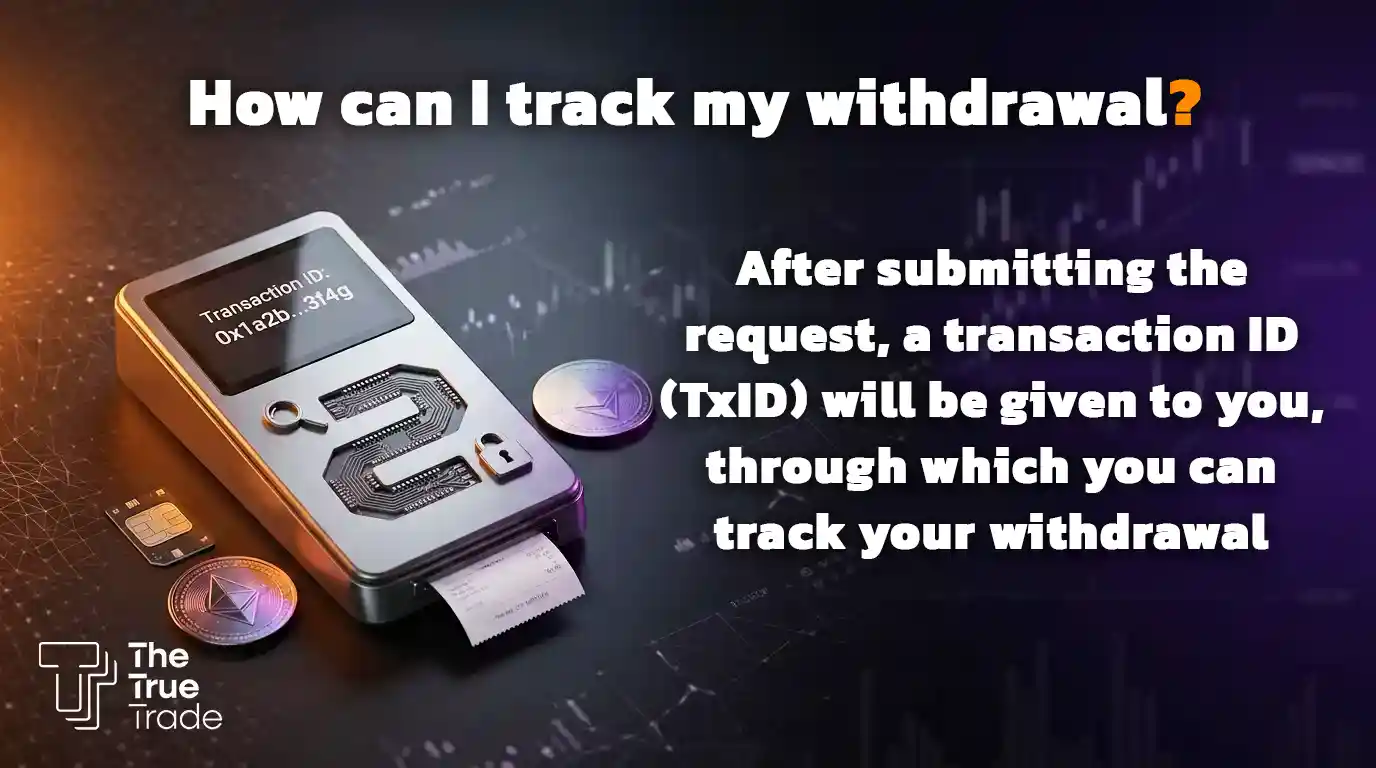
To view all your previous withdrawals on The True Trade, simply log into your user account, navigate to the Overview section, and open the History tab. On this page, you can track information such as the withdrawal amount, currency, time of request, transaction ID (TxID), and withdrawal status (Pending, Accept, or Refund).
Why is My Withdrawal from The True Trade Not Processing?
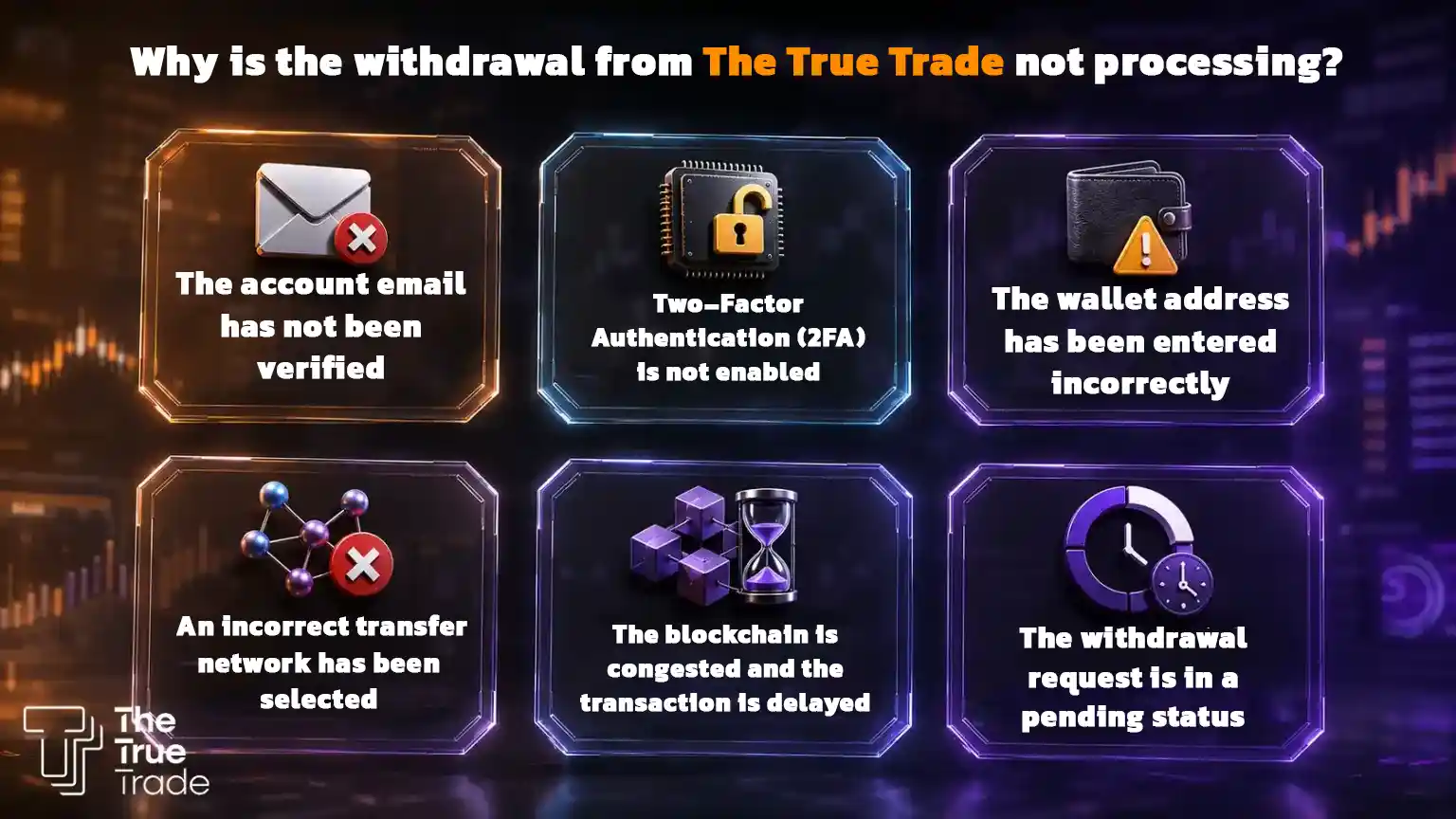
If you are unable to withdraw assets from The True Trade (TTT), check the following items first, as the issue is usually related to one of these reasons:
- Your account email is not verified (Unverified).
- Two-Factor Authentication (2FA) is not enabled.
- The Wallet Address was entered incorrectly.
- The transfer network was selected incorrectly.
- The blockchain is congested, causing processing delays.
- The withdrawal request is still in the Pending status and needs more time to process.
If you have checked all the above items and the withdrawal is still not processing, contact The True Trade support team to have your transaction status investigated.
How Long Does a Withdrawal from The True Trade Take?
Under normal circumstances, a withdrawal from The True Trade exchange takes only a few minutes. Upon approval of the request, the assets are quickly transferred to the destination wallet. However, in some situations, the withdrawal status may remain on Pending for a while. This usually happens due to blockchain network congestion, internal security reviews, or standard processing delays. If this status takes an unusually long time, it is highly recommended to contact The True Trade support.
Tutorial: Withdrawing Tether (USDT) from The True Trade to Trust Wallet and Other Wallets
Withdrawing Tether from The True Trade to Trust Wallet, MetaMask, SafePal, or any other wallet is done using the exact same method. The only variable that changes is the destination wallet’s Receive Address.
Step One: Copy the Receive Address from Your Wallet
First, log into the wallet you intend to transfer the assets to. Then:
- Select the desired cryptocurrency (e.g., USDT).
- Tap on the Receive option.
- Select the transfer network (such as TRC20, BEP20, or ERC20). This must match exactly with the network you intend to use on The True Trade.
- Copy the displayed address.
Important Note: The network selected in your wallet must identically match the network you select in The True Trade withdrawal form; otherwise, your assets will be permanently lost.
Step Two: Complete the Withdrawal Form on The True Trade
Now, log into your account on The True Trade and navigate to the Withdraw section. Then:
- Select the desired cryptocurrency.
- Specify the transfer network.
- Paste the wallet address you copied in the previous step into the Wallet Address field.
- Enter the withdrawal amount.
- Submit the withdrawal request and enter your Two-Factor Authentication (2FA) code.
Once the request is approved, your assets will usually be transferred to the destination wallet within a few minutes.
Note: These steps are not exclusive to Tether. For withdrawing Bitcoin, Ethereum, BNB, and other cryptocurrencies, you must follow the exact same process; simply copy the specific receiving address for that corresponding coin from your wallet and enter it into The True Trade’s withdrawal form.
Conclusion: The True Trade Withdrawal Tutorial
In this article, we comprehensively reviewed how to make a withdrawal from The True Trade. As demonstrated, the withdrawal process is incredibly straightforward and fast, achievable in just a few simple steps:
First, copy the Receive Address from your destination wallet. Then, log into your True Trade account and select the Withdraw option from the Assets section. Next, submit your request by entering the cryptocurrency type, transfer network, wallet address, and withdrawal amount. Following final confirmation and entering your 2FA code, the assets are usually transferred to your destination wallet within minutes.
Of course, in special circumstances like blockchain network congestion or incorrect information, the withdrawal may face delays or require further manual review. Ultimately, if you observe all security precautions, such as verifying your email and activating Google Authenticator, your withdrawal process will proceed smoothly and without a hitch.
[Click here to start trading and receive a $100 bonus]
Frequently Asked Questions About Withdrawing from The True Trade
How long does a withdrawal from The True Trade take?
Normally, a withdrawal takes only a few minutes. Once approved, the assets are transferred to the wallet. In special conditions like network congestion or security reviews, it might take a bit longer.
Is there a minimum withdrawal limit on The True Trade?
No, there is no specific minimum withdrawal limit on The True Trade. Users can withdraw any amount of assets they hold.
Why is my withdrawal from The True Trade not going through?
There could be various reasons, including:
- Unverified email address
- Inactive 2FA
- Incorrect wallet address entered
- Incorrect network selection
- Blockchain congestion or network delays
- The transaction is currently stuck in a Pending status
What do the withdrawal statuses on The True Trade mean?
- Pending: The request is currently under review.
- Accept: The withdrawal was successfully processed and completed.
- Refund: The request was canceled, and the funds were returned to your exchange balance.
Where can I view my withdrawal history?
Your entire withdrawal history can be viewed by navigating to Overview → History. This section includes detailed information such as the amount, coin, time, and exact transaction status.
Is withdrawing Tether different from other cryptocurrencies?
No, the withdrawal method is identical for all cryptocurrencies. The only difference is your selection of the specific coin and its corresponding transfer network.
How much are the transaction fees on The True Trade exchange, and how are they calculated?
Withdrawal fees are dynamically based on your selected blockchain network and will be clearly displayed to you on the withdrawal page before you confirm.
What is the solution if I withdrew to the wrong address?
The best practice is to always double-check the wallet address carefully beforehand. However, if you ultimately made a mistake, send a message to support immediately for guidance.
I made a cryptocurrency withdrawal, but the funds haven’t arrived in my account; what should I do?
Depending on the request status, please be patient. (Full details on withdrawal statuses are provided in the table above).
Why has my withdrawal transaction been sent but not received?
After submitting a request, you are given a transaction code/hash (TxID). You can use this ID on a blockchain explorer to track the real-time outcome of your transfer.
What should I do if I encounter an “Invalid Address” error during withdrawal?
It is best to delete the input and carefully copy-paste the wallet address again to ensure no extra spaces or missing characters are present.


