
Depositing cryptocurrency into The True Trade exchange is completed in 6 simple steps: 1- Log into your The True Trade account. 2- Click on “Deposit”. 3- Select your desired cryptocurrency and its network. 4- Scan the QR code or copy the deposit address. 5- Open your crypto wallet and select “Send”. 6- Enter the amount, paste the exchange’s wallet address, and hit “Confirm”.
Usually, your deposit is completed in just a few minutes, and the balance will be visible in your True Trade account. In the video below, we explain the step-by-step process of depositing into The True Trade.
[Click here to start trading and claim your $100 bonus]
Depositing to The True Trade in 6 Steps (with Pictures)
If you don’t already have an account on The True Trade, simply go to the platform and connect via Gmail, Telegram, or your crypto wallet to complete your registration in under a minute. Then, follow these steps to deposit cryptocurrency:
1. Log In and Click “Deposit”

After logging into your TrueTrade account, locate and click the blue “Deposit” button in the top right menu.
2. Select Cryptocurrency and Transfer Network
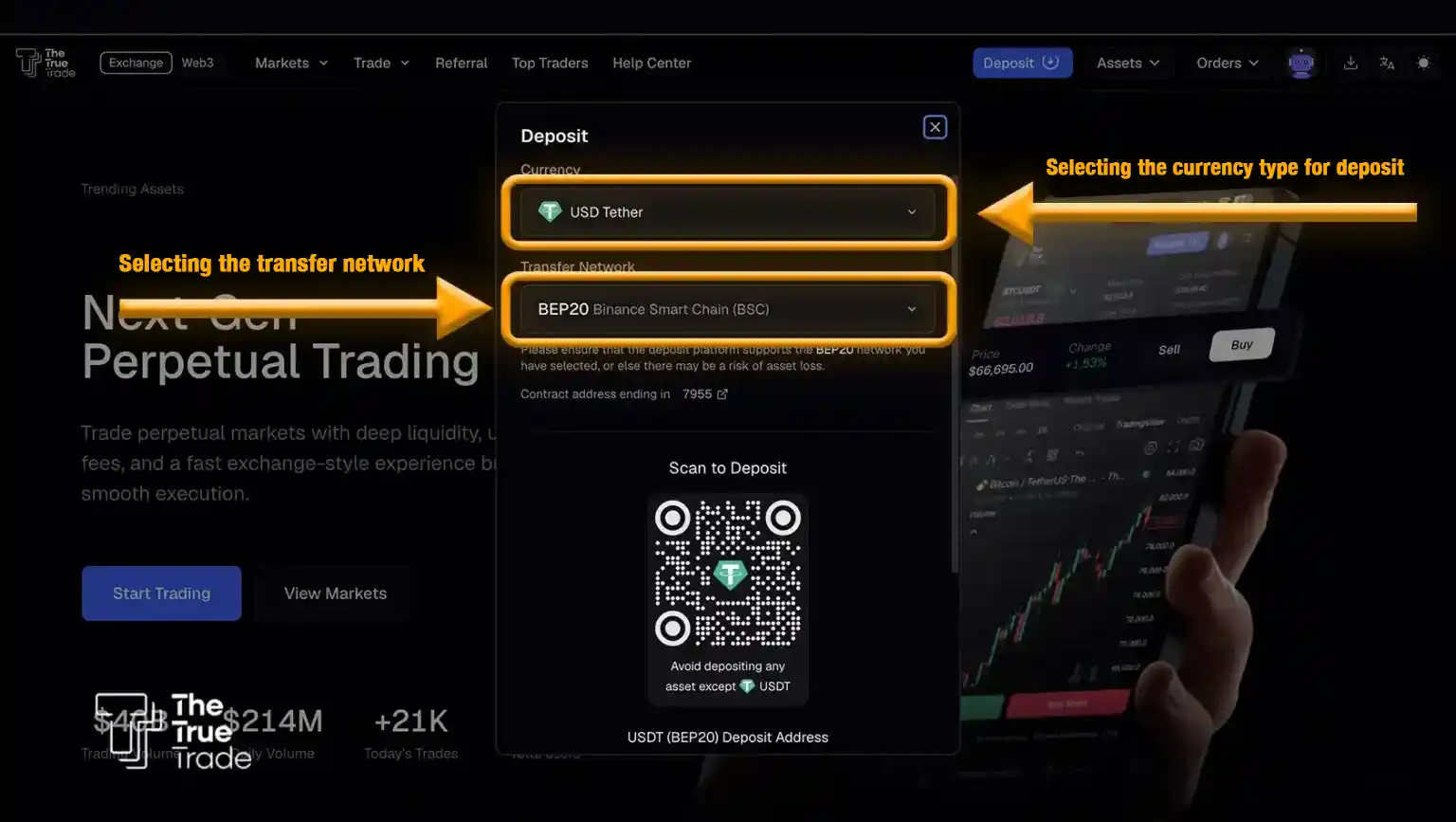
In the pop-up window, first specify which coin you want to deposit (users commonly choose Tether/USDT on the BNB network). Select your desired cryptocurrency (e.g., USDT or BTC) and make absolutely sure to choose the correct network (e.g., TRC20 or ERC20).
Note: Selecting the wrong network can result in the permanent loss of your funds. The coin and network you select here must exactly match what you hold in your source wallet.
3. Get Your Deposit Address (QR Code or Copy Address)
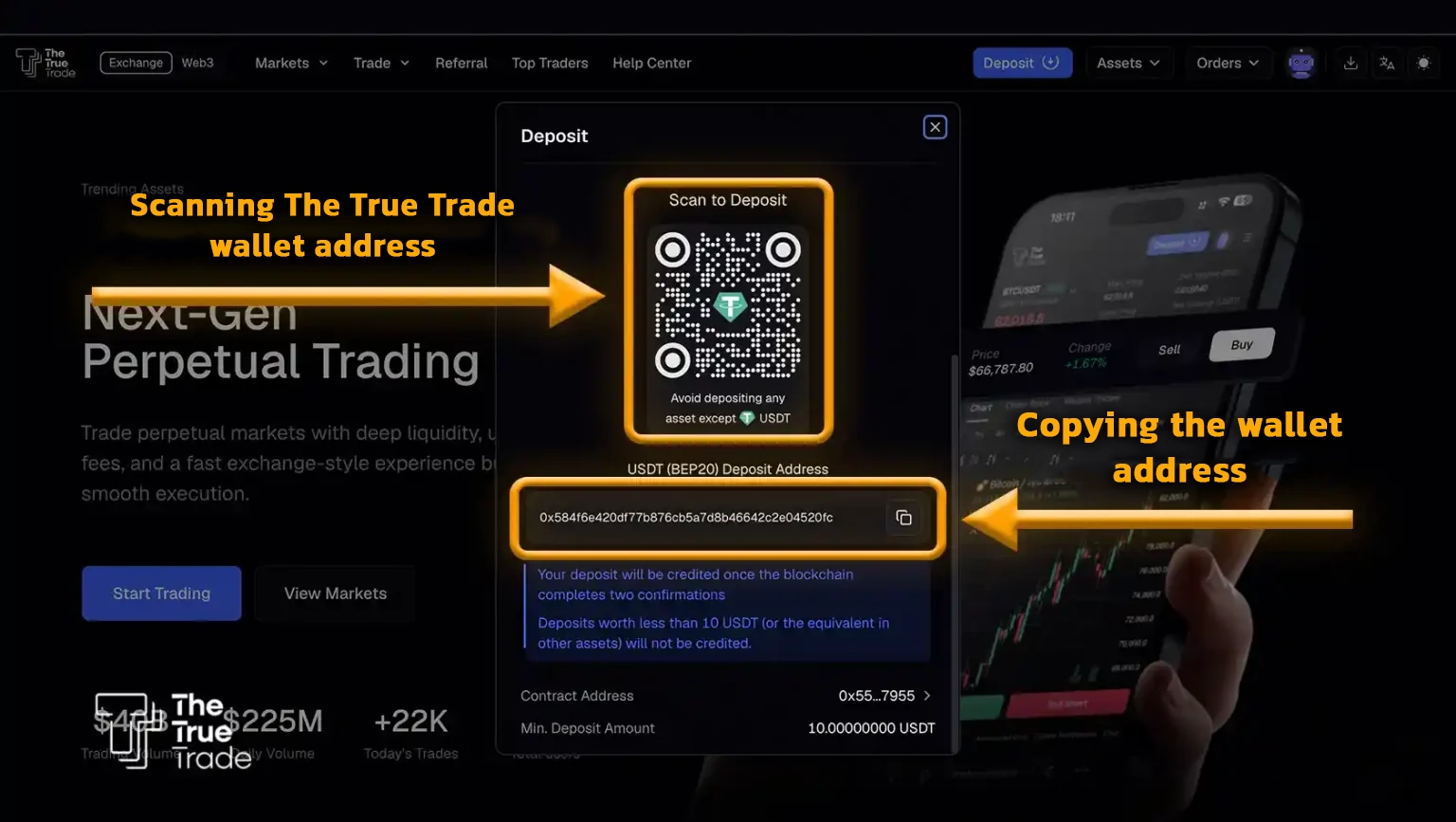
At this stage, the exchange’s wallet address will be displayed as a QR code and an alphanumeric string. You can either copy the address or scan the QR code using your mobile wallet.
4. Open Your Personal Wallet and Select “Send”
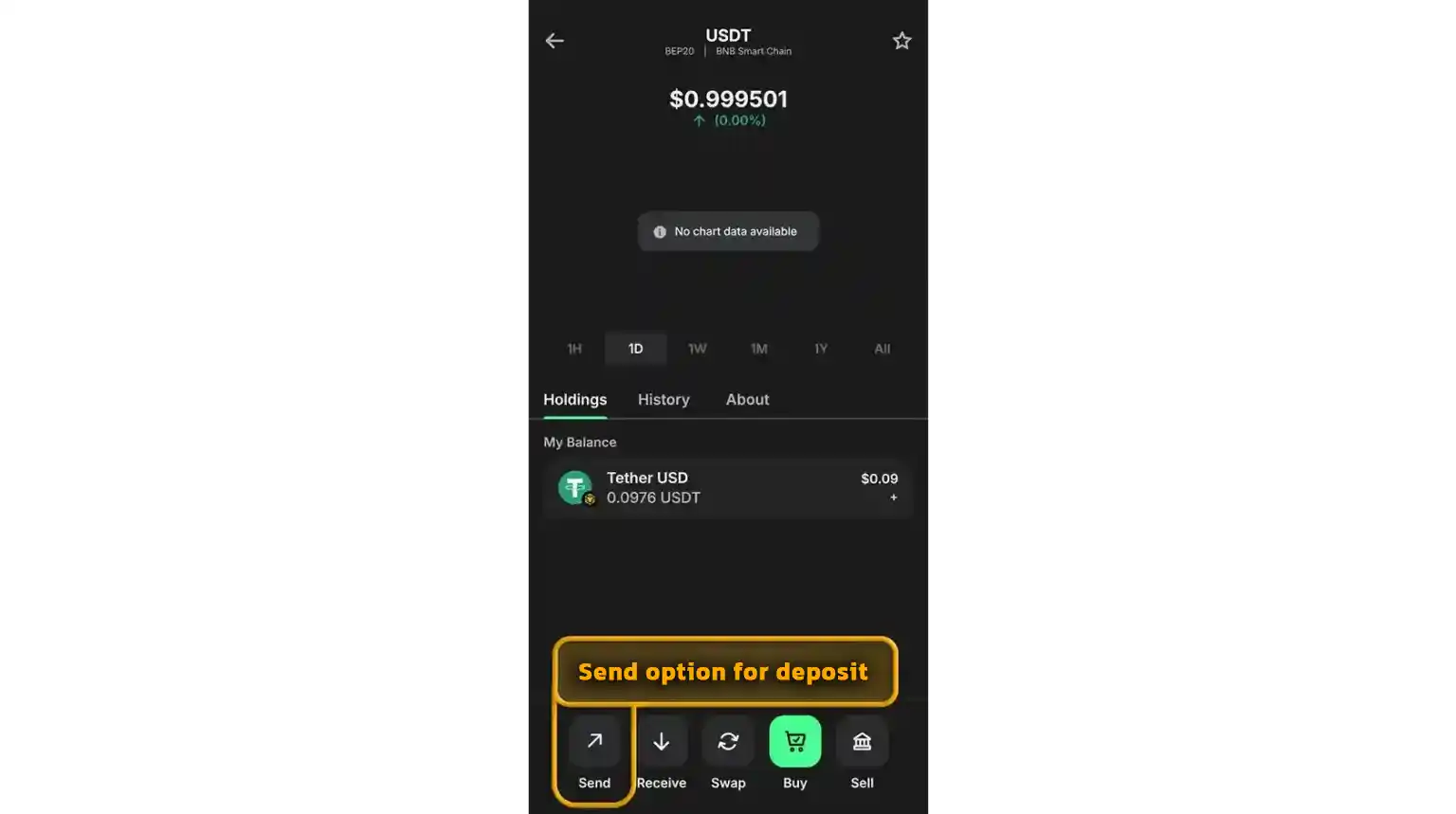
Now, open your personal crypto wallet and select the “Send” option. This feature is used to transfer crypto to another address. You will need to select the specific asset you intend to transfer to The True Trade.
5. Enter the Amount and Crypto Type
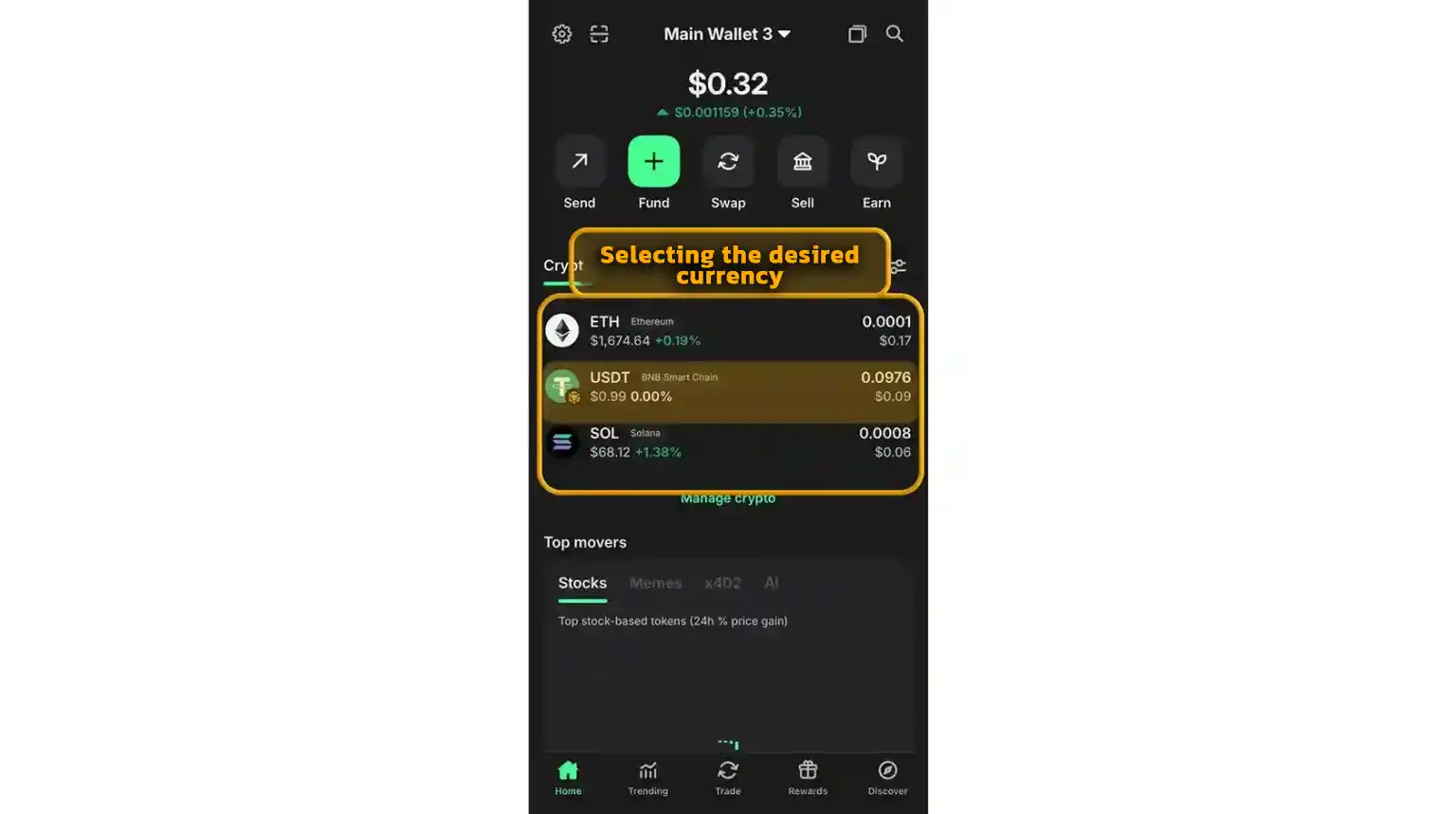
Specify the amount you wish to transfer and ensure the crypto type matches your earlier selection. Make sure you have a sufficient balance to cover the transfer and any network fees. Again, it is crucial to double-check that you have selected the correct coin and network.
6. Enter the Exchange Address and Confirm the Transaction
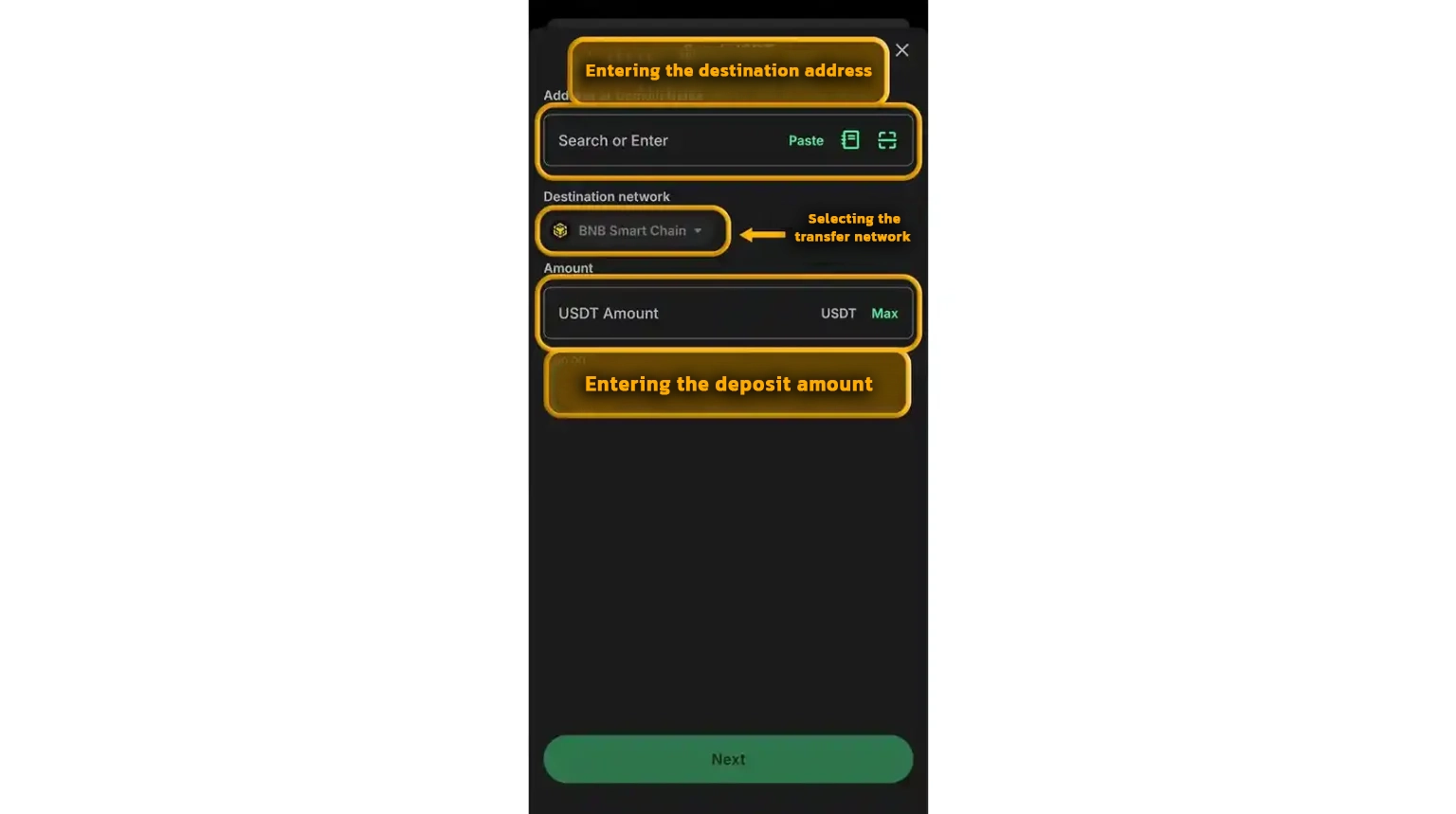
Paste the address you received from the exchange (or scan the QR code), review the details, and hit “Confirm”. Once confirmed, the transaction is broadcast to the blockchain. After network confirmation, your deposit will be credited. The entire deposit process to The True Trade usually takes less than 2 minutes.
Which Cryptocurrencies Can I Deposit to The True Trade?
You have many options when depositing to The True Trade. The TTT exchange supports deposits for a wide variety of cryptocurrencies. Simply click on “Deposit” and select your preferred coin from the drop-down list.
What Should I Do If My Balance Doesn’t Update After Depositing?
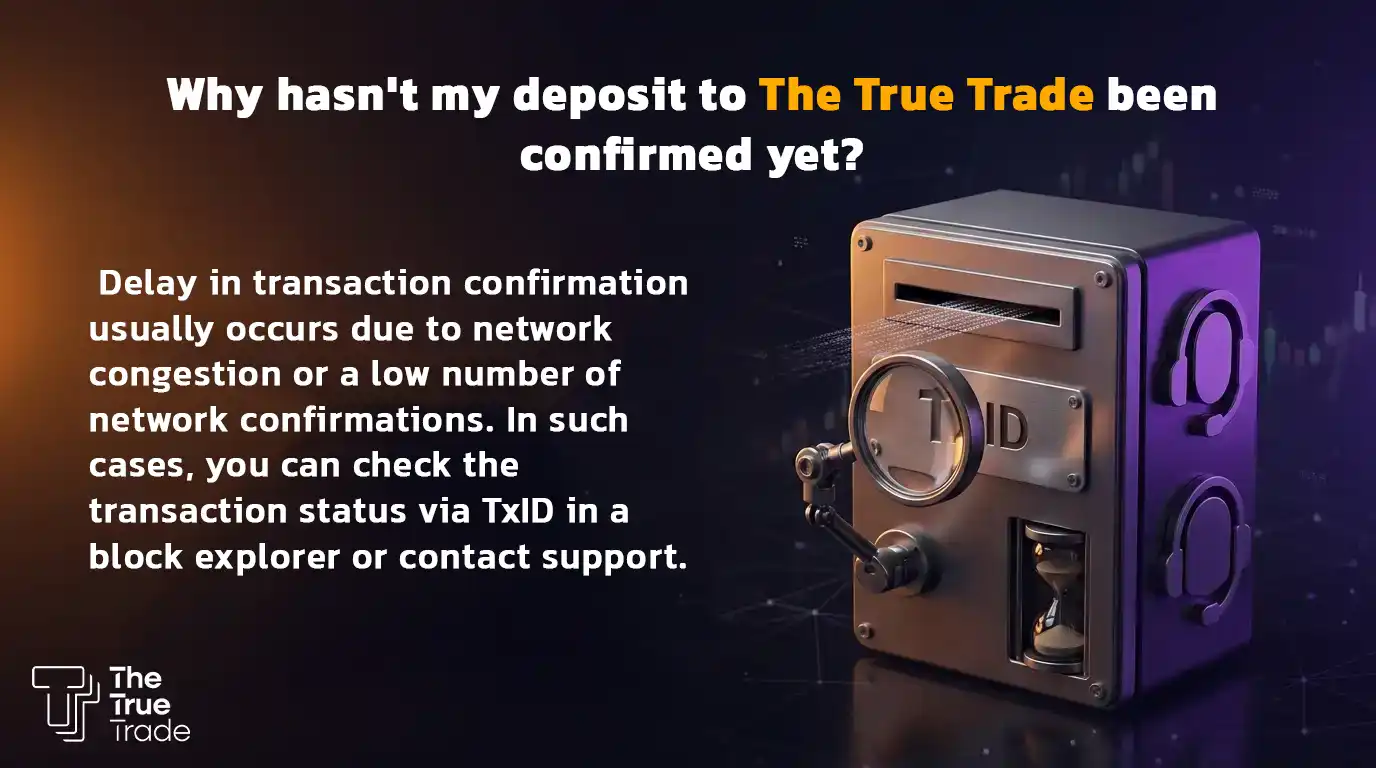
If your account balance hasn’t increased after making a deposit, the best course of action is to contact The True Trade’s support team so they can investigate the issue. However, keep in mind that deposits can sometimes be delayed due to blockchain network congestion. Other reasons could include selecting the wrong network or sending funds to an incorrect address.
Besides contacting support, you can check your Transaction ID (TxID) on the blockchain explorer corresponding to the network you used. If the transaction is confirmed on the blockchain but still isn’t showing in your account, you may just need to wait a little longer for the exchange’s system to update.
What is the Minimum Deposit on The True Trade?
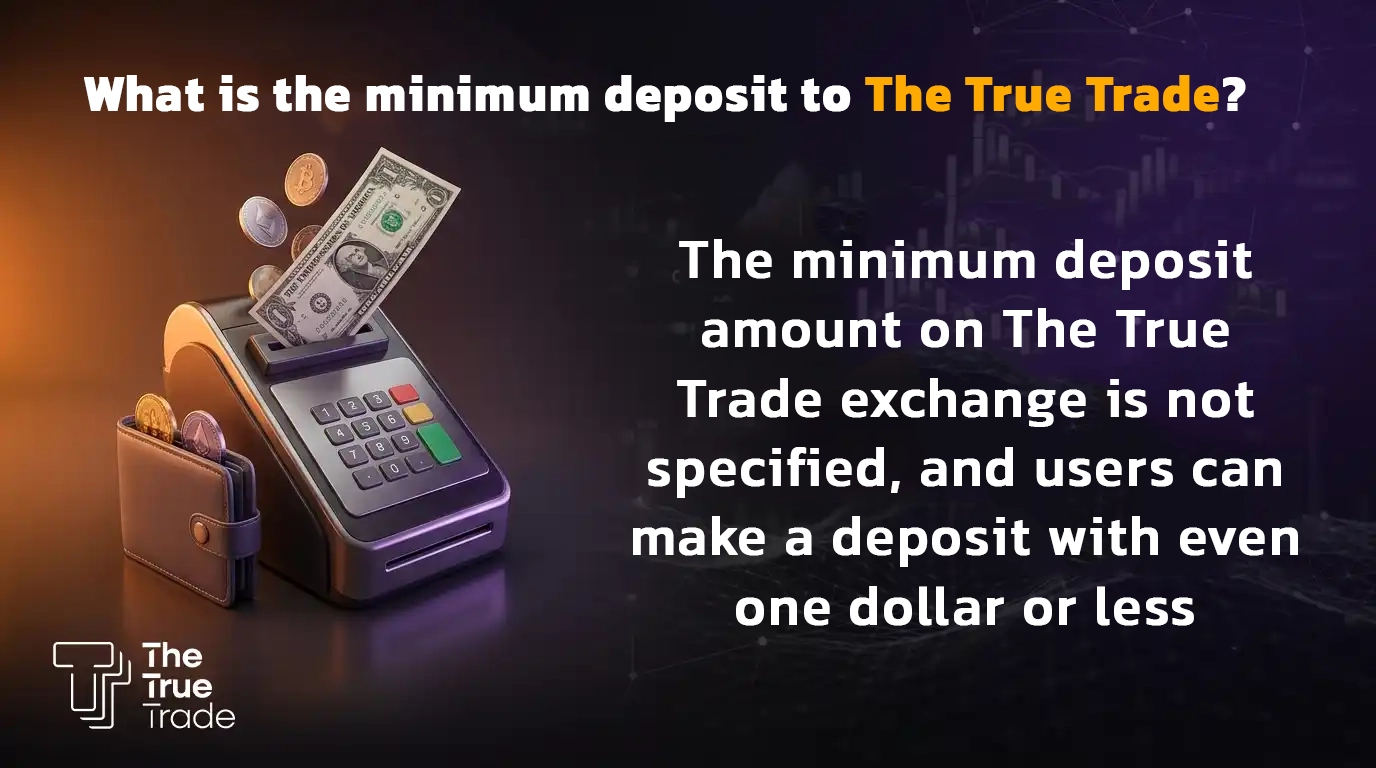
One of the major advantages of The True Trade exchange is that there is no minimum deposit limit. Users can deposit amounts as small as $1 or even less, and use it to trade. So, if you are planning to fund your account, don’t worry about minimum balance requirements; you can start trading with the smallest of amounts. Once your account is funded, you can begin your trading journey. If needed, you can also check out our withdrawal guide to learn how to transfer your assets back to your personal wallet.
How to Deposit Fiat Currency to The True Trade
The True Trade does not currently support direct fiat currency deposits. To fund your account, you must first purchase a supported cryptocurrency, such as Tether (USDT), through a trusted cryptocurrency exchange or payment provider that accepts your local fiat currency. Once you have acquired the cryptocurrency, simply transfer it to your The True Trade wallet address. After the funds are received, you can start trading across the platform’s available markets.
Security Tips and Common Mistakes When Depositing
Most issues users face when depositing to The True Trade stem from simple mistakes regarding network selection, wallet addresses, or coin types. Before confirming any transaction, review the following to avoid errors and potential loss of funds:
1. Selecting the Wrong Network
The most common mistake is choosing a network that differs from the destination. For example, if you generate a USDT address on the TRC20 network in The True Trade, you must select the TRC20 network when sending from your source wallet or exchange. Network mismatches can result in lost assets.
2. Sending to the Wrong Address
Before confirming the transaction, double-check the first and last few characters of the wallet address. Entering even a single incorrect letter or number can send your funds to an irretrievable destination.
3. Choosing the Incorrect Cryptocurrency
Some users copy a deposit address for one coin but send a different coin to it (e.g., copying a USDT address but sending BNB or ETH). The coin you send must exactly match the coin selected on your True Trade deposit page.
[Click here to start trading and claim your $100 bonus]
4. Skipping Test Transfers for Large Amounts
If you are depositing a substantial amount, always send a small test transaction first. Once you confirm the test deposit has arrived safely, you can transfer the remaining balance.
5. Copying Addresses from Untrusted Sources
Always get your deposit address directly from your True Trade account. Never use addresses provided by others, Telegram groups, or old screenshots.
6. Ignoring Network Fees
Check the network withdrawal fee before sending. Some networks have higher fees, meaning the final amount you receive might be less than expected.
7. Not Enabling Two-Factor Authentication (2FA)
To maximize your account security, enable two-factor authentication. This protects your account from unauthorized access and potential asset theft.
Conclusion
Depositing cryptocurrency to The True Trade is a fast and straightforward process that takes just a few minutes. Simply select your desired crypto and the correct network, get your unique deposit address from the exchange, and send your funds from your source wallet. As long as the coin, network, and address are correct, your deposit will process smoothly, and your balance will update quickly. If you have any questions, leave a comment below, and our experts will guide you.
Frequently Asked Questions (FAQ) About Depositing to The True Trade
How long does a deposit to The True Trade take?
The deposit time depends on the cryptocurrency and blockchain network traffic. In most cases, your balance will appear in your exchange account within a few minutes after a few network confirmations.
What is the minimum deposit amount?
There is no minimum deposit limit on The True Trade. Users can fund their accounts with $1 or even less.
Can I deposit fiat currency (IRR) directly?
No. The True Trade currently does not support direct Rial (IRR) deposits. Iranian users must buy crypto from a local exchange and transfer it to their True Trade account.
Which network is best for depositing Tether (USDT)?
This depends on your source wallet or exchange. Many users prefer the BNB Smart Chain or TRC20 networks for lower fees, but the most important thing is ensuring the network exactly matches on both the sending and receiving ends.
What happens if I send funds via the wrong network?
Sending funds through the wrong network can result in the loss of your assets. Always verify the coin and network on both platforms before confirming the transaction.
Why is my deposit still unconfirmed?
Delays are usually caused by blockchain congestion or insufficient network confirmations. You can track your transaction status using the TxID on a blockchain explorer or contact True Trade’s support team.
Do I need KYC verification to deposit?
No, KYC verification is not required to make a deposit on The True Trade. You can start depositing immediately after registration.


