Registering on The True Trade Exchange
Simple Trade Guide and Transferring Assets from Funding to Futures in The True Trade

Given that the design, layout, and menus of The True Trade exchange website have completely changed, this registration guide is essential for both new users and veteran traders. Therefore, we have prepared this comprehensive, step-by-step visual tutorial from scratch so you can fully familiarize yourself with how to register on The True Trade and start trading on the new platform.
Generally, there are three methods to register on The True Trade exchange: 1) Gmail account, 2) Telegram account, and 3) Wallet connection, which you can easily complete by turning on your VPN. In this visual tutorial, we will cover the registration steps for The True Trade exchange, navigate the new site menus, and provide a complete guide on connecting a wallet, depositing Tether (USDT), transferring assets to Futures, and starting both simple and advanced trading. Additionally, in the video below, we have visually taught you step-by-step how to register and navigate the different sections of the site.
If you don’t have time to read this entire article, listening to this short podcast will answer all your questions regarding registration on the new The True Trade website.
Visual Guide to Registering on The True Trade Exchange + Photos
Step One: The first step is to enter The True Trade website. You can access the exchange by clicking the button below.
[Enter The True Trade | thetruetrade.io]
Step Two: In this step, by clicking on “Sign Up,” a window will open displaying 3 methods for registering on The True Trade.
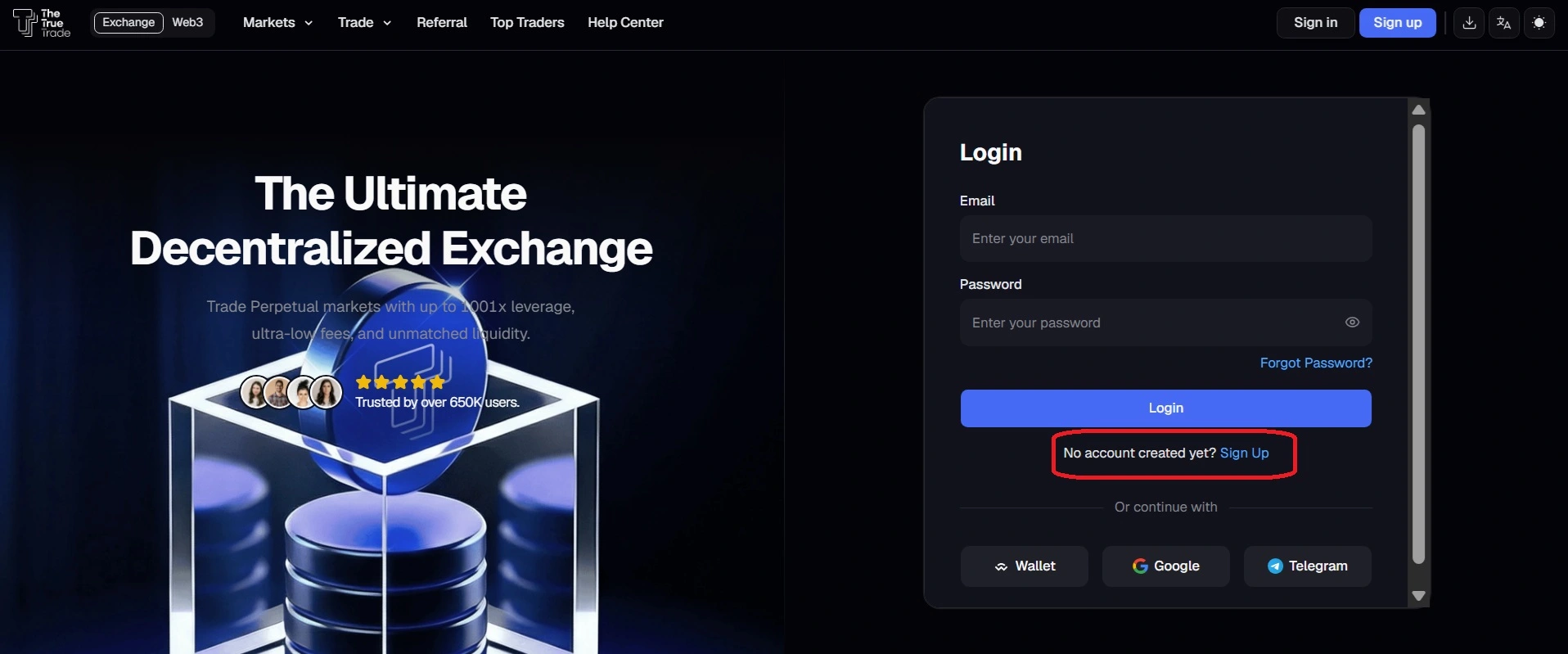
The three registration methods on The True Trade are:
- Register with Google: Select a Google account for instant access to the platform.
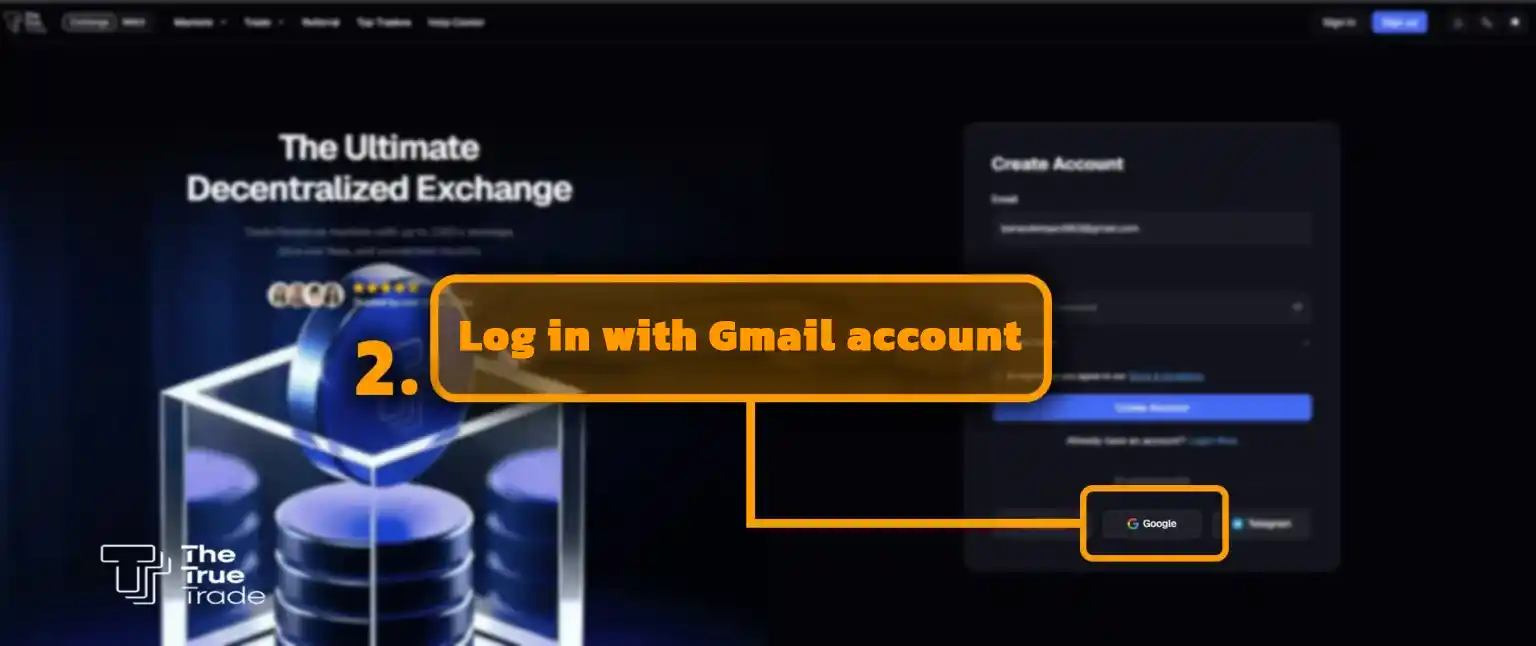
- Register with Telegram: Connect your Telegram account for quick and easy login.
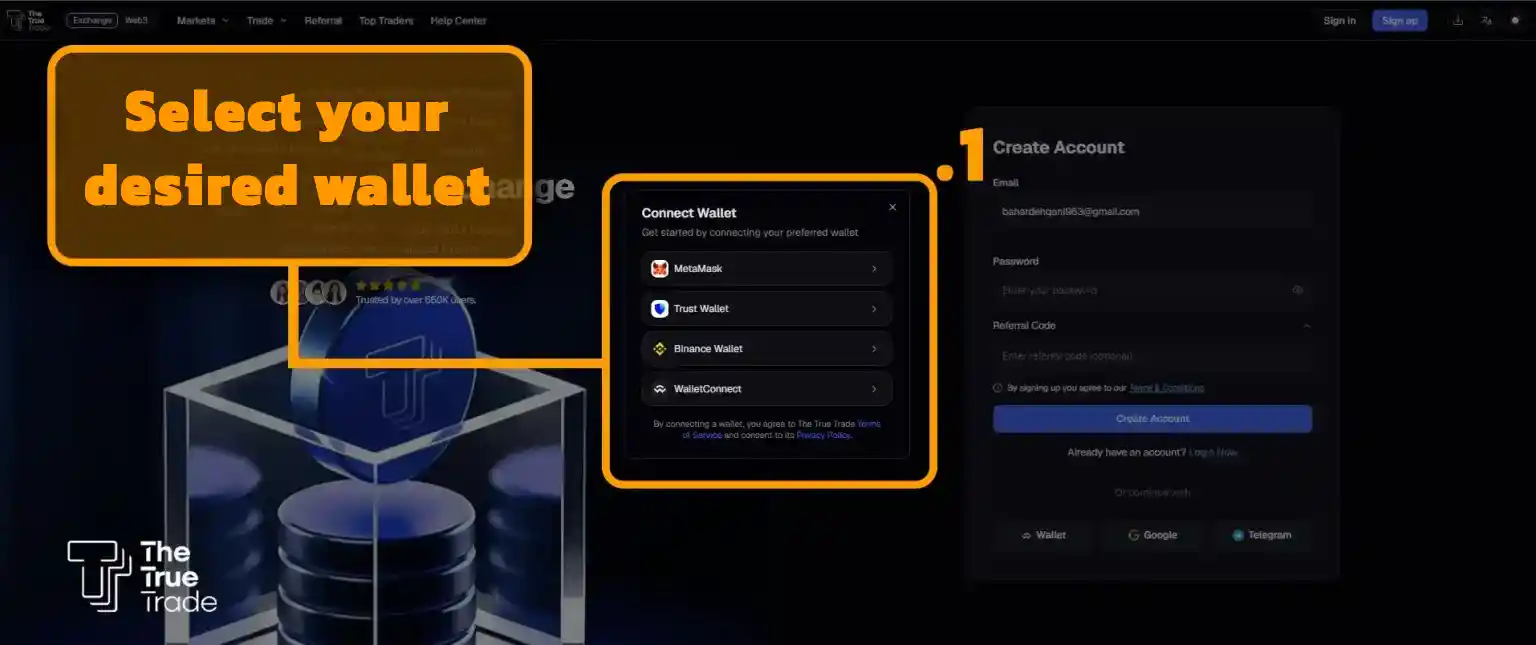
- Register via Wallet Connection: Use any EVM-compatible wallet such as MetaMask, Trust Wallet, SafePal, etc.
1- Registering on True Trade with a Gmail Account
After clicking on “Continue with Google,” simply enter your email address.
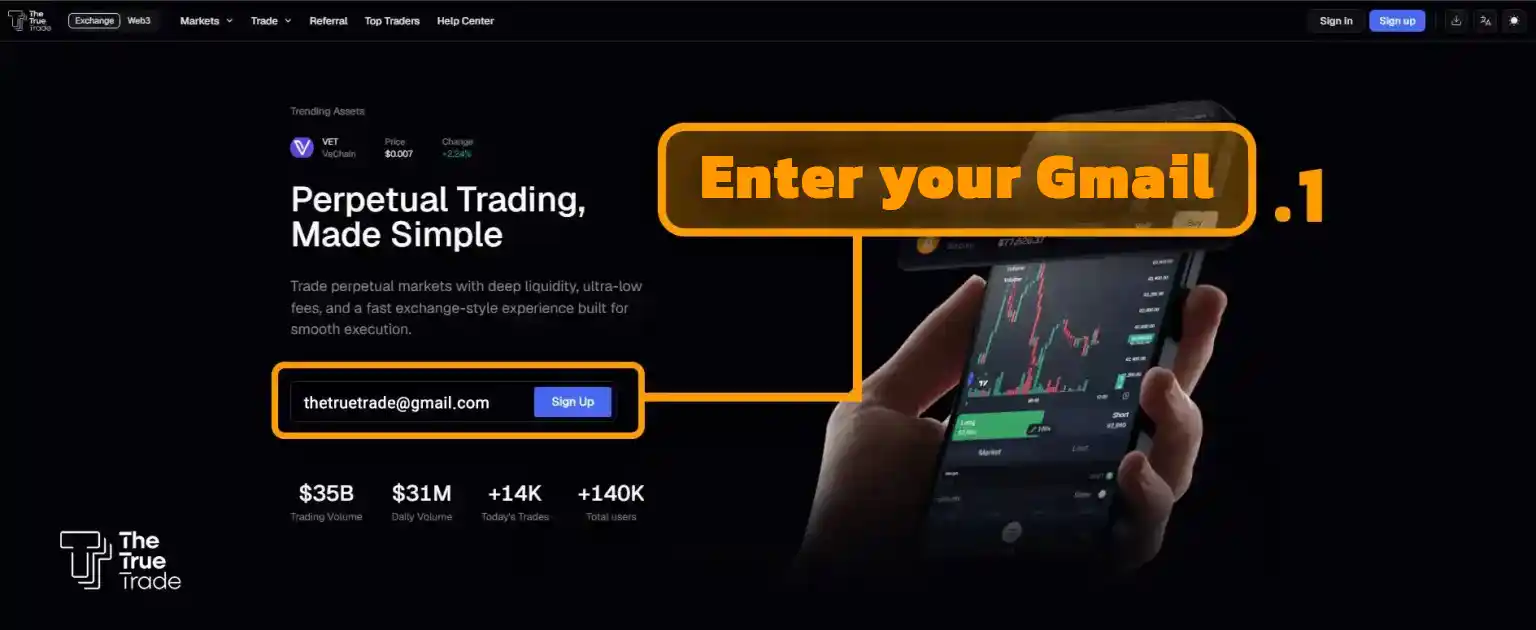
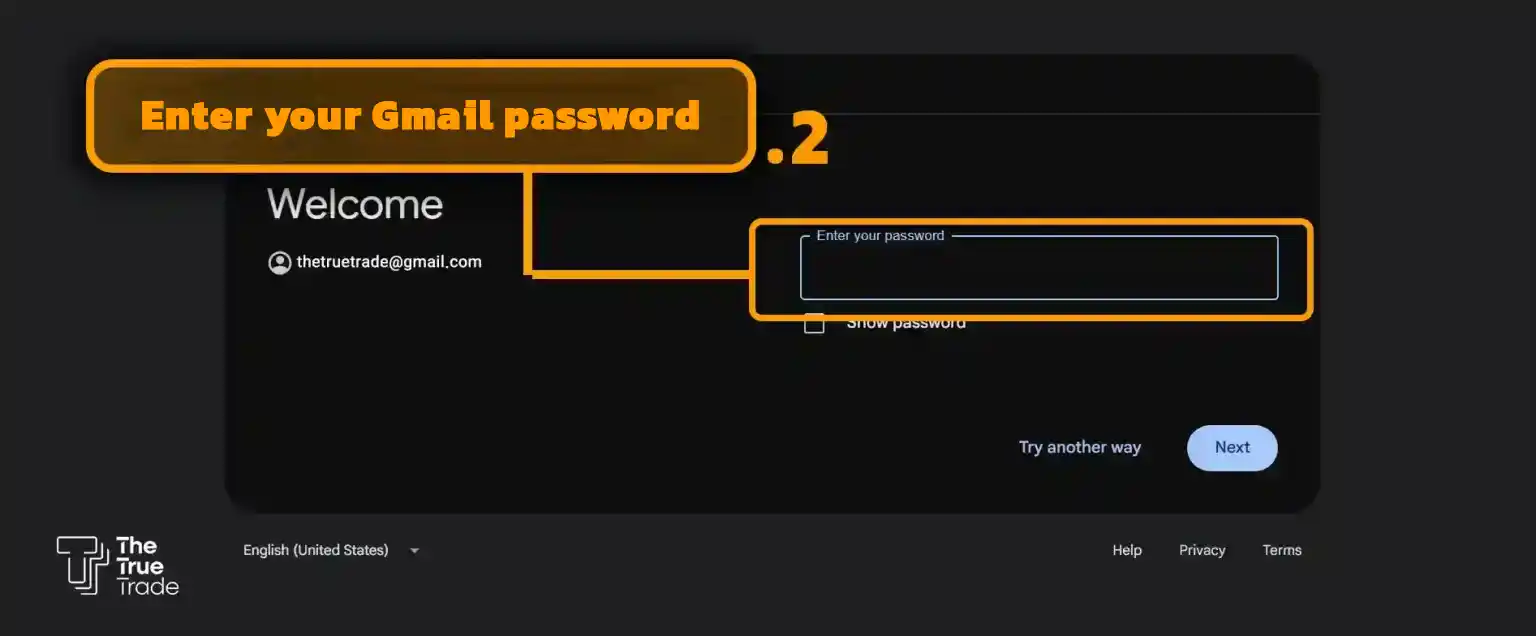
Next, you need to enter your account password to complete your registration on True Trade via Gmail. Of course, if you are already logged into your Gmail, there is no need to enter your password again, and you will be directed straight into the True Trade website.
2- Registering on The True Trade with a Telegram Account
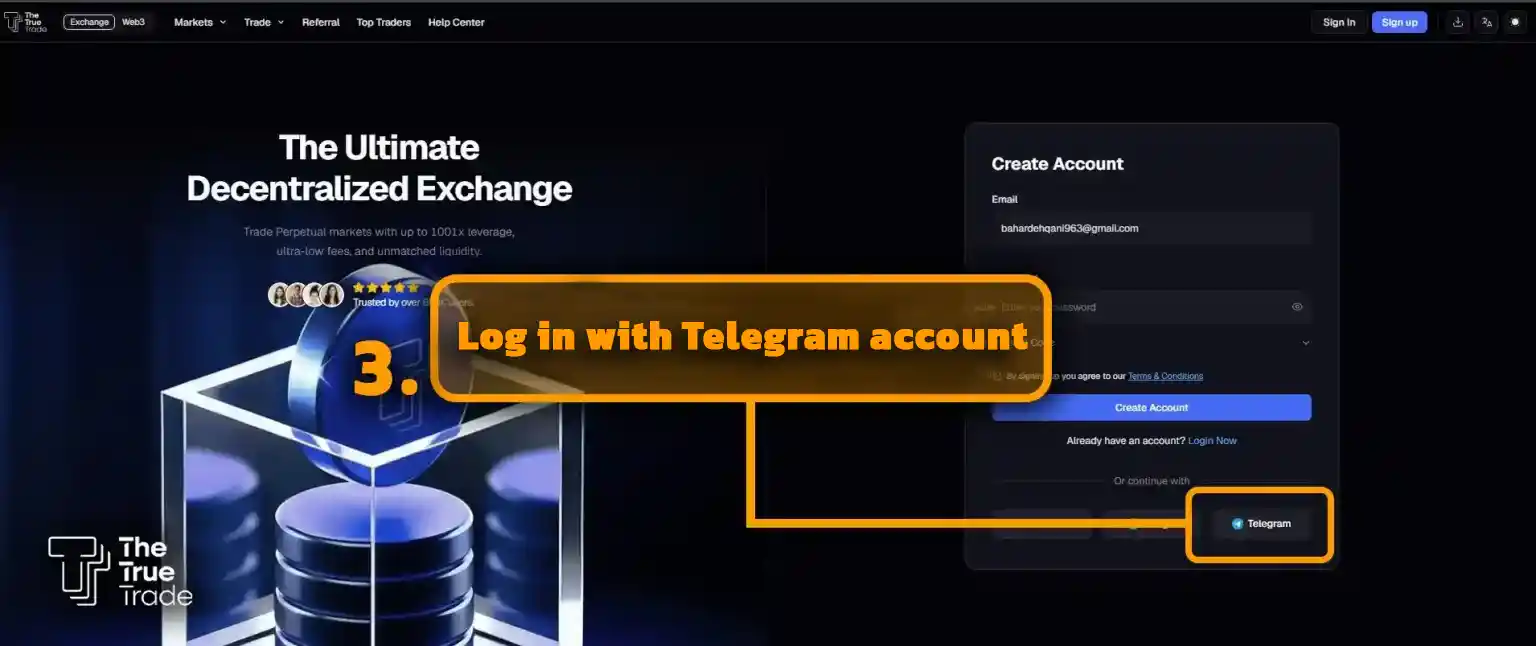
To log in to True Trade using a Telegram account, click on the designated option.
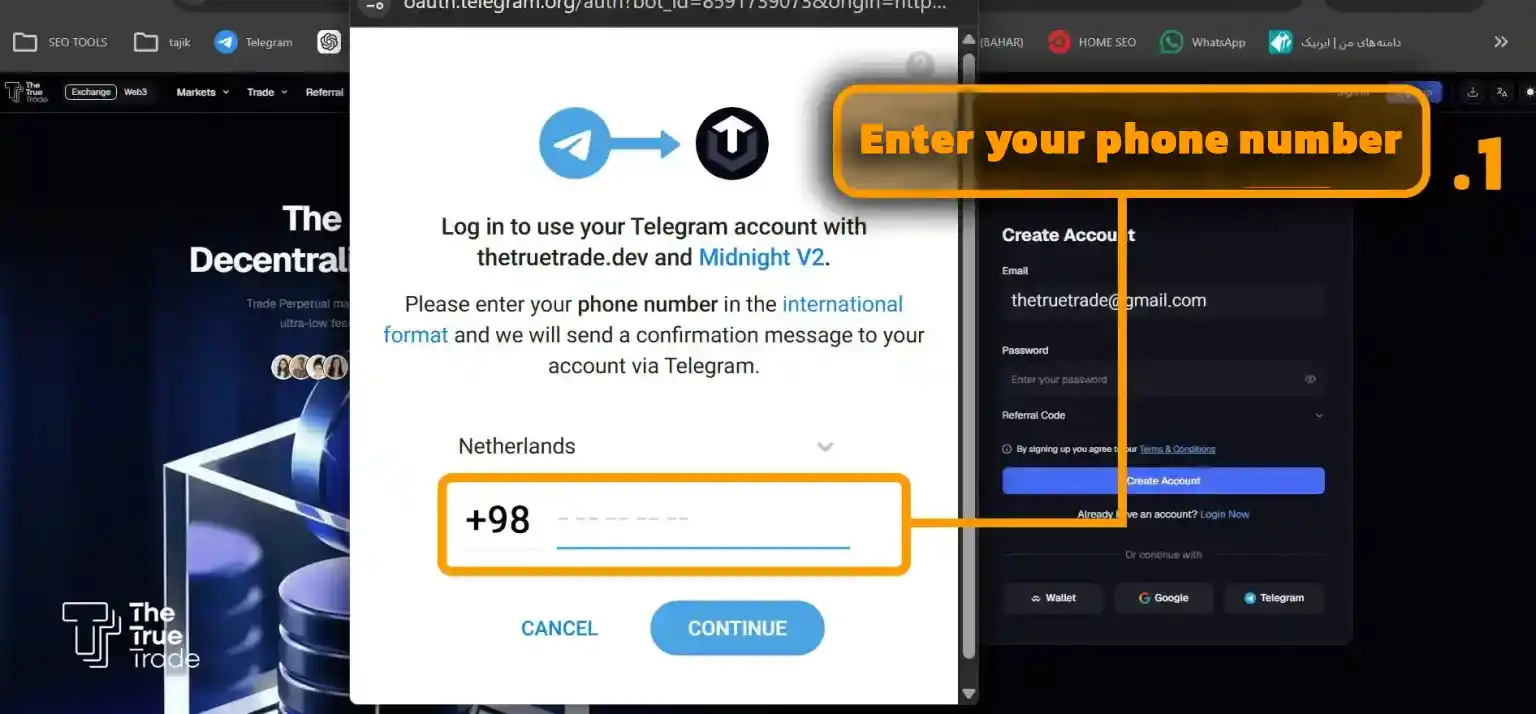
The following window will open for you. Enter the phone number associated with your Telegram account, and then type the verification code into the provided box to enter the True Trade mini-app via Telegram.
3- Registering on True Trade via Wallet Connection
The third method to register on The True Trade is by connecting a cryptocurrency wallet.
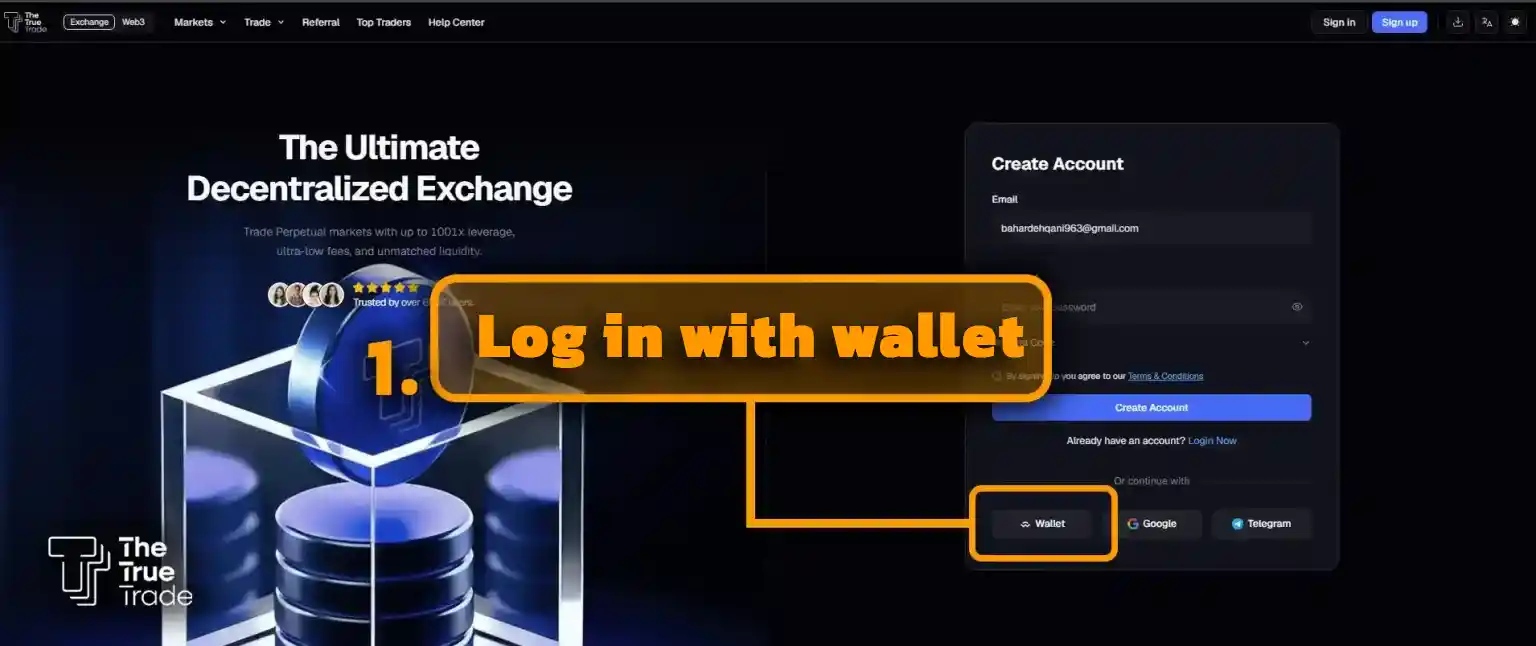
To do this, click on the “Connect Wallet” option and select your wallet type from the window that opens.
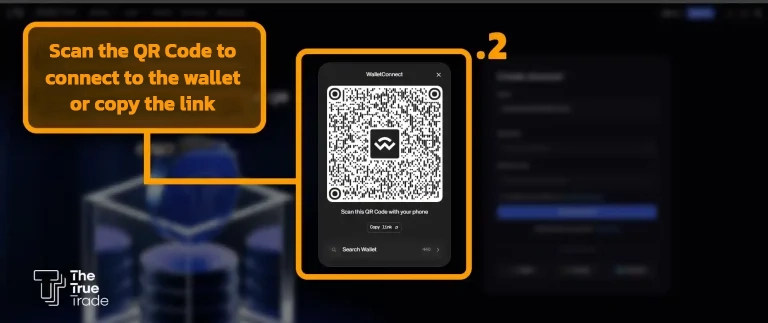
At this stage, open the crypto wallet on your mobile phone and easily connect it to The True Trade by scanning the QR code on your screen.
Introduction to Menus and Different Sections of The True Trade Exchange
Whichever of the above methods you use to register, you will enter the page below. This page is essentially your user dashboard as a trader, where you can view all your account information, asset balances, and trading history, as well as contact The True Trade’s support team.
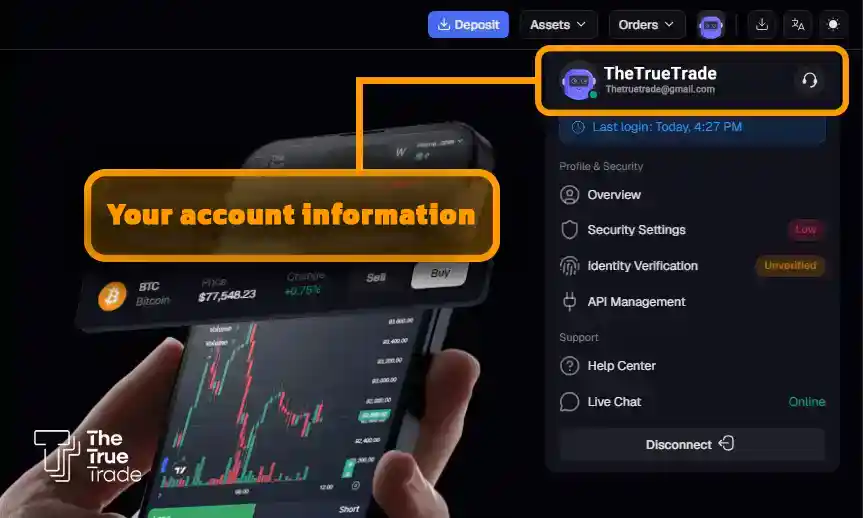
Through the menus located at the top right of the page, you can view your account information, including your balance. If you click on the purple robot icon, you will see your account’s identity information.
By clicking on the OVERVIEW option, you will enter a comprehensive dashboard page that displays your entire trading history, balance status, and other details of your user panel.
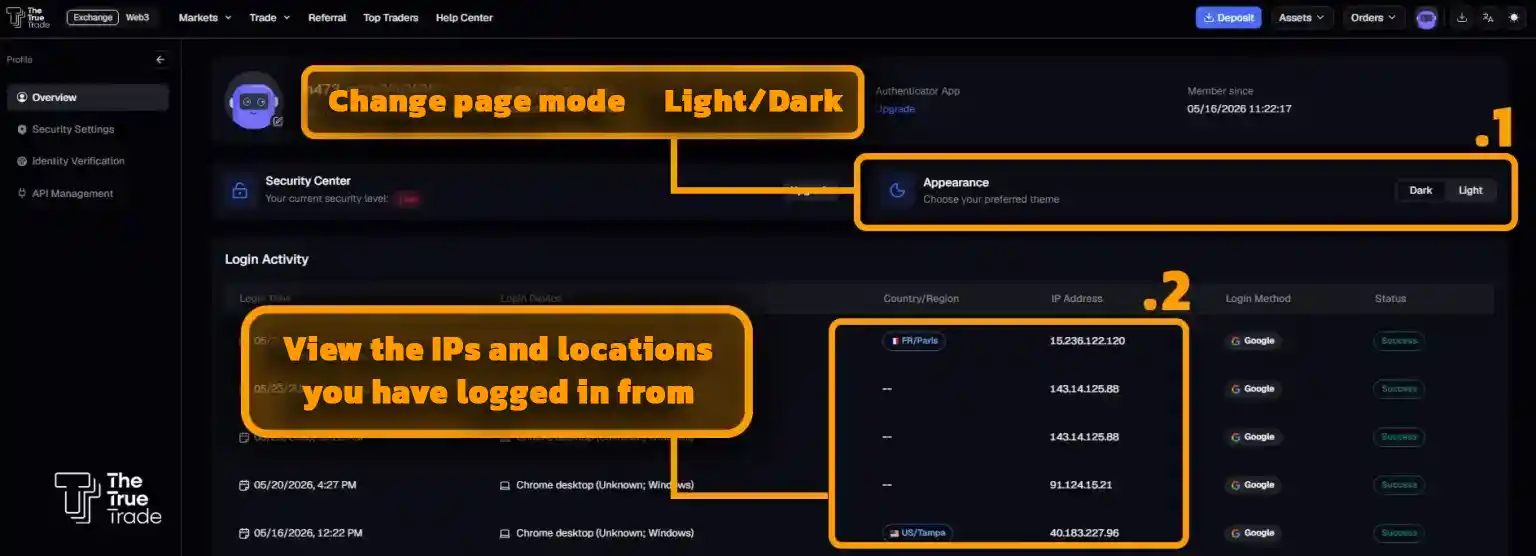
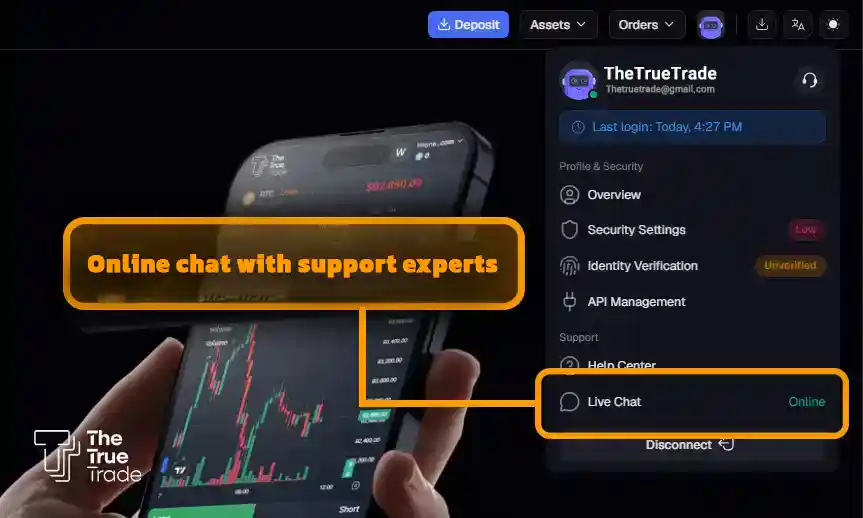
If you need guidance at any stage, simply click on the LIVE CHAT option to communicate online with The True Trade’s technical support team. (Note: To communicate with the support team, you must chat in English. If you are not fluent, it is best to translate your message using AI or Google Translate before sending it).
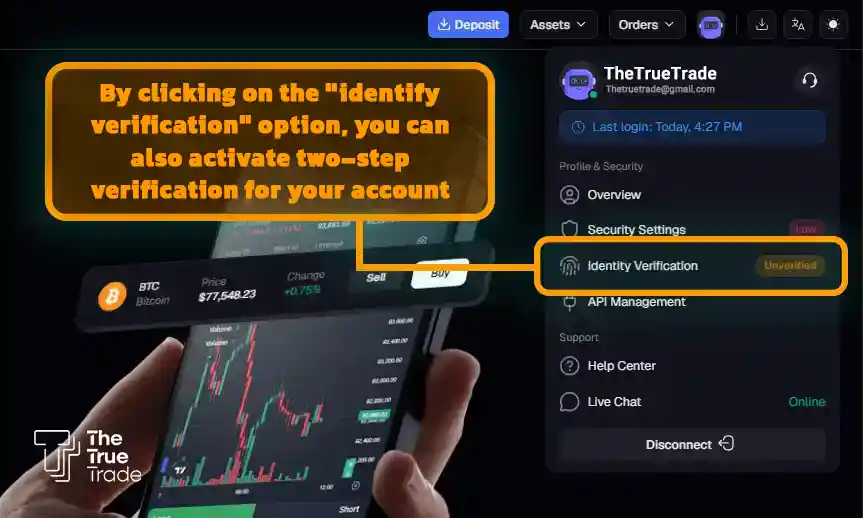
By clicking on the Identity Verification option, you can enable two-factor authentication (2FA) for your account to enhance its security. (We will explain this in more detail later).
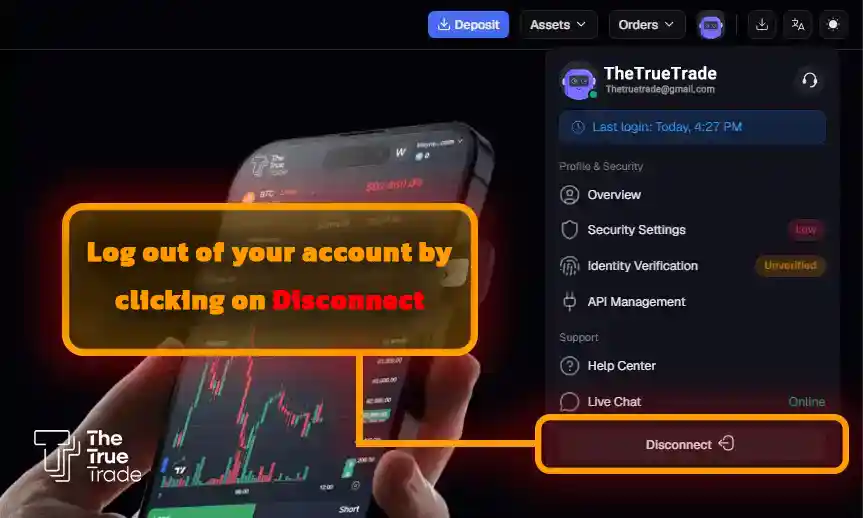
In this same menu, clicking the Disconnect option will log you out of your account.
Let’s move on to the next menu, which opens by clicking on the ASSETS option.
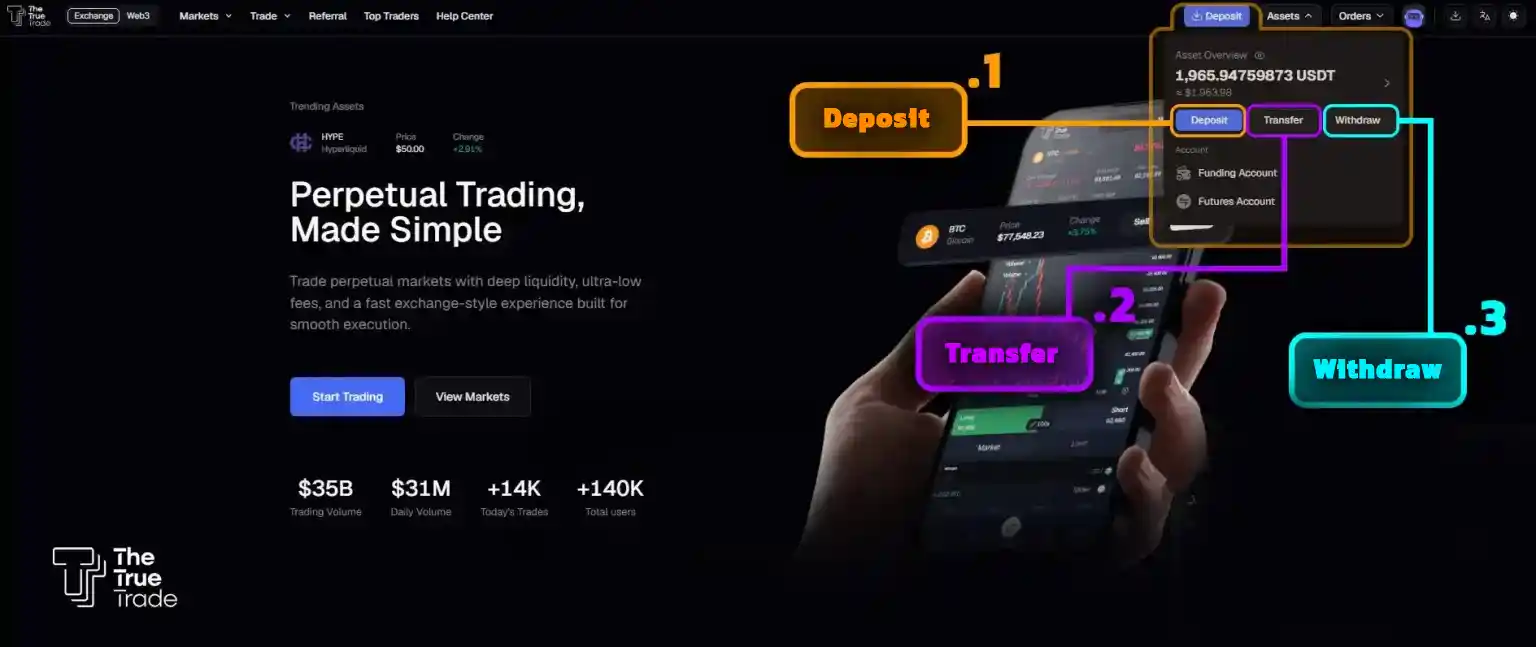
In this menu, you will first see the Asset Overview, which displays your account’s total asset balance. Below that, you will see three options:
1. Deposit: Clicking this option opens a box allowing you to deposit your desired cryptocurrency into your account. Essentially, a deposit is how you fund your True Trade account to start trading. In our True Trade Deposit Guide, we have provided a detailed, video-assisted tutorial on how to make a deposit.
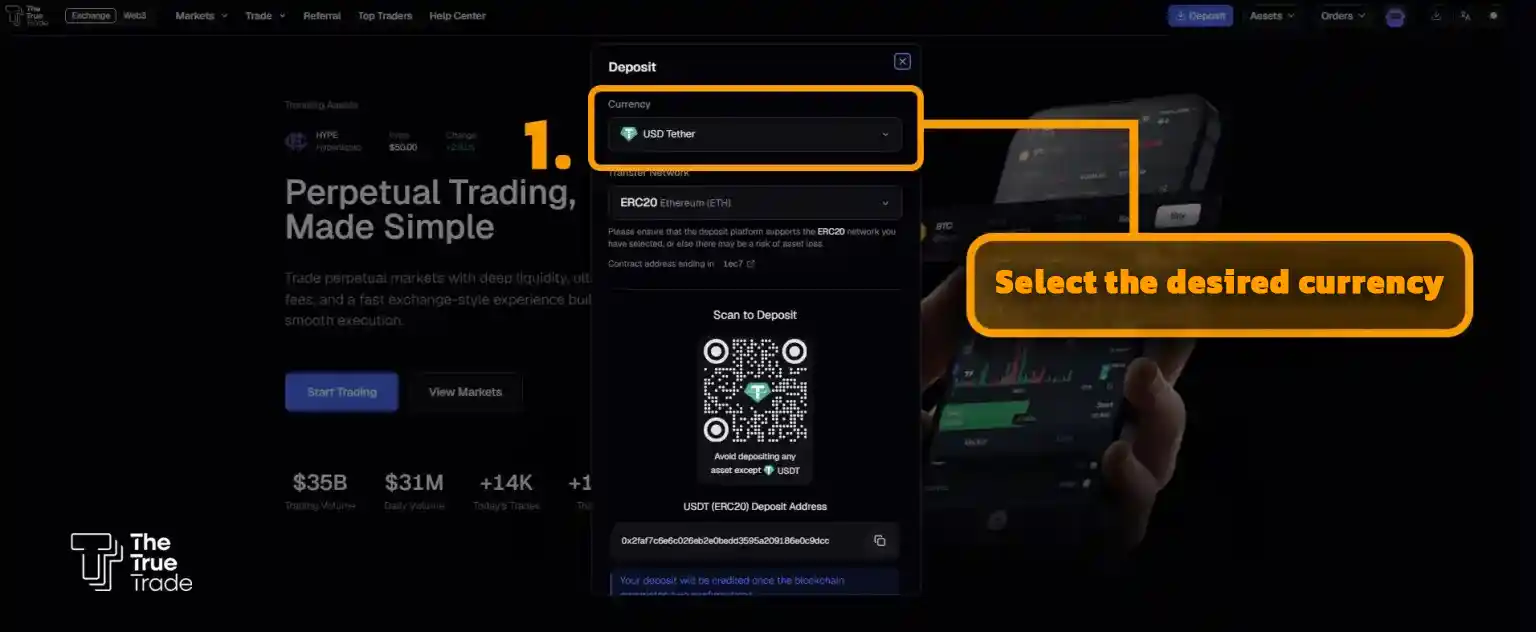
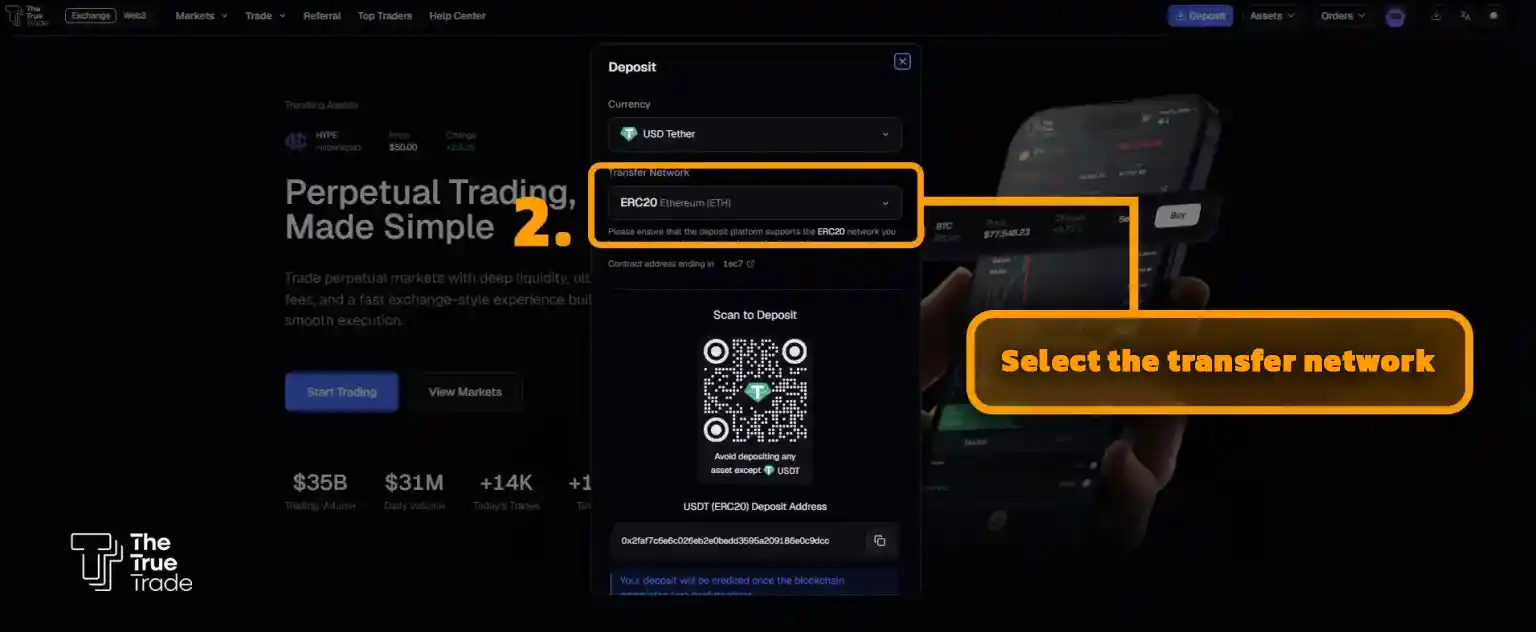
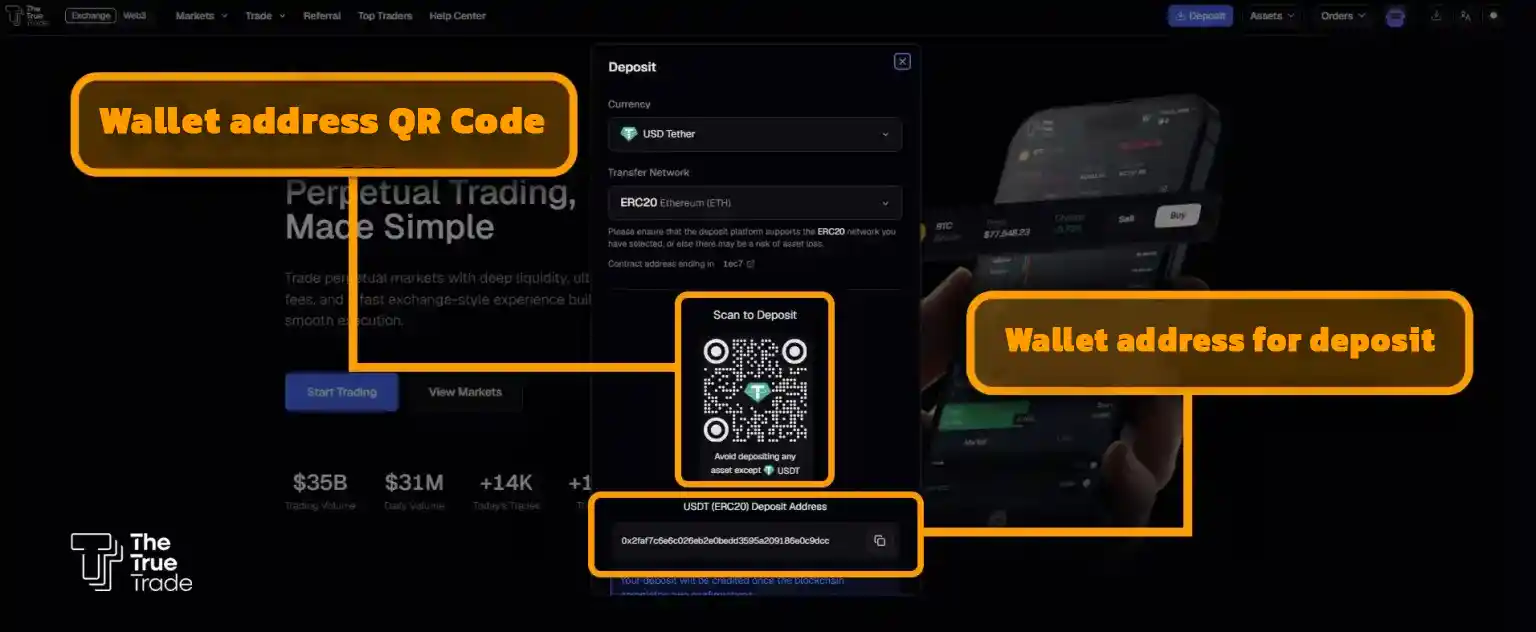
2. Withdraw: If you wish to withdraw all or part of your assets, you must use this option. Since withdrawing requires specific details and care, we have explained the asset withdrawal steps visually in our True Trade Withdrawal Tutorial, and we highly recommend reading that article before attempting a withdrawal.
3. Transfer: The asset transfer option is highly important. To start Futures trading, you first need to transfer your assets from the Funding section to the Futures section using this option.
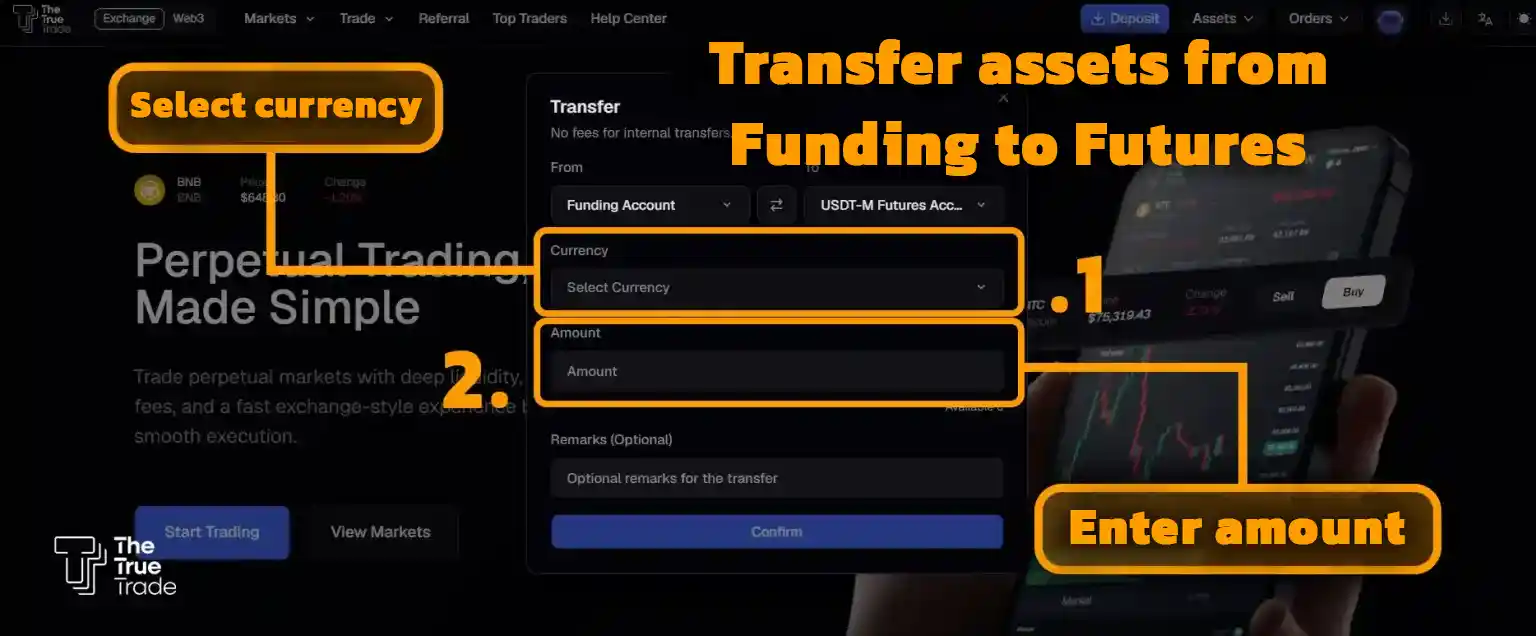
To do this, click on the Transfer option, and in the window that opens, select Tether (USDT). Additionally, in the “Amount” section, enter the sum you wish to transfer to the Futures section. Finally, click the Confirm button to complete the asset transfer. After this step, you can begin trading on True Trade.
How to Start Trading on The True Trade Exchange
In the previous section, we learned how to transfer assets to the Futures trading section. Now, to start trading, click on the Trade option from the top left menu of the site and select an option from the dropdown.
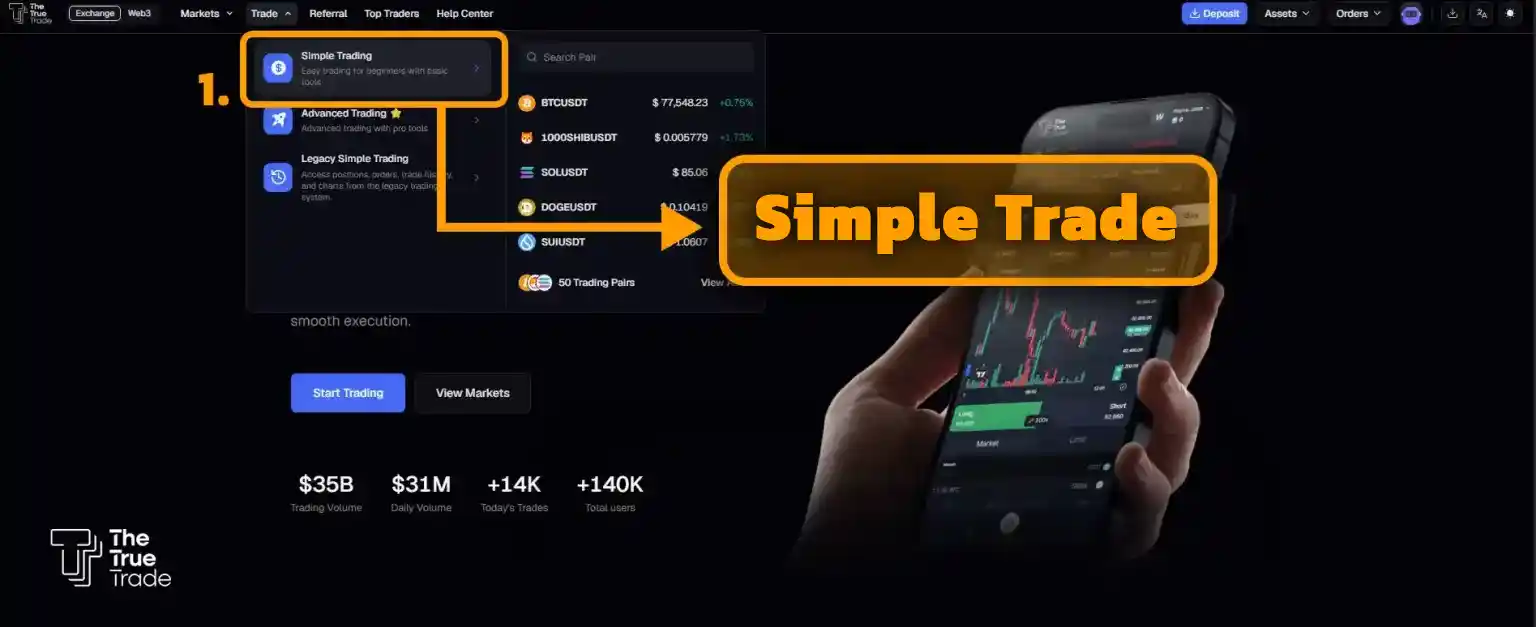
Novice traders typically choose the Simple Trade option, and after gaining some experience over time, they switch to the Advanced Trade option.
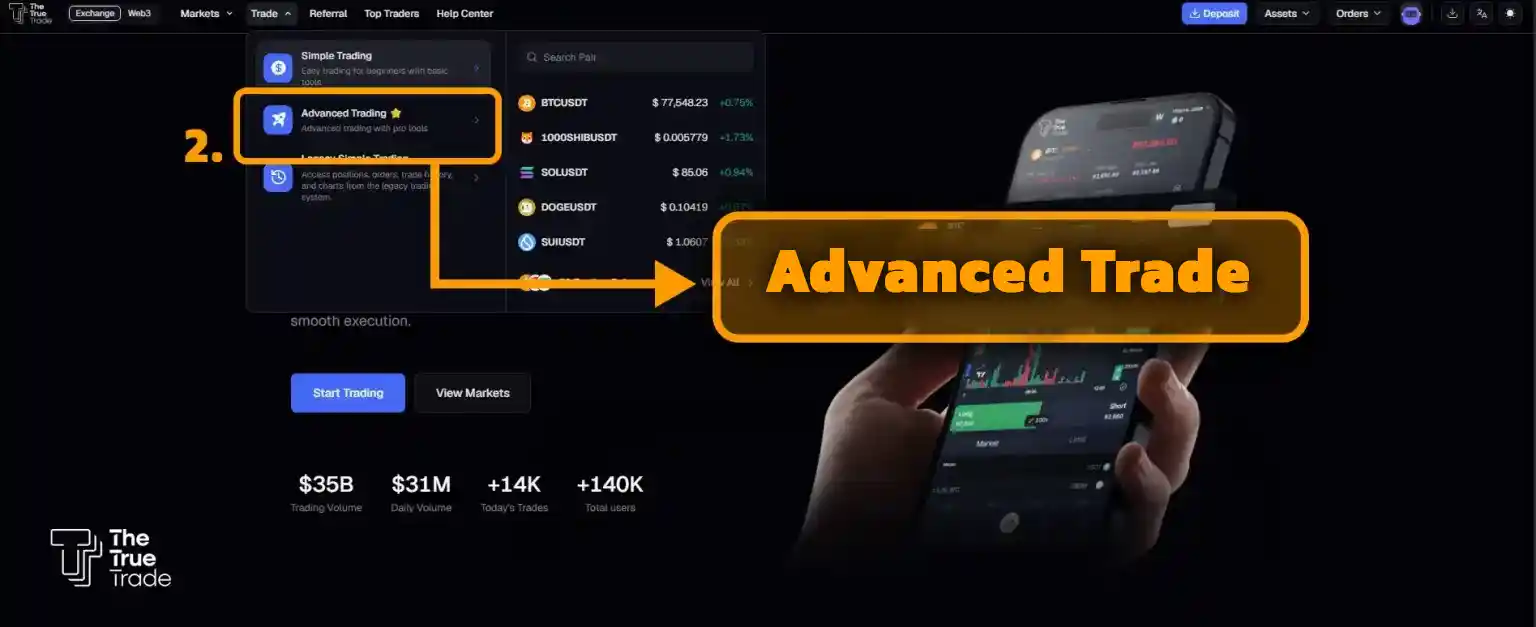
What is the difference between Simple Trade and Advanced Trade?
Generally, Simple Trade provides you with basic trading features such as charts, the ability to set leverage, TP (Take Profit), and SL (Stop Loss). However, the Advanced Trade section offers more comprehensive tools like an ORDER BOOK, the ability to set multiple simultaneous take-profit and stop-loss orders, and more. Essentially, the Advanced Trade section is designed for professional traders looking for highly detailed trading features.
How to Enable Two-Factor Authentication (2FA) on True Trade
After registering on The True Trade exchange, one of the first and most important steps you should take to maintain account security is enabling Two-Factor Authentication (2FA). This feature adds an extra layer of security to your account and prevents unauthorized access even if your password is compromised.
To activate 2FA, simply click on the purple robot icon and enter the Security Setting section from the dropdown menu.
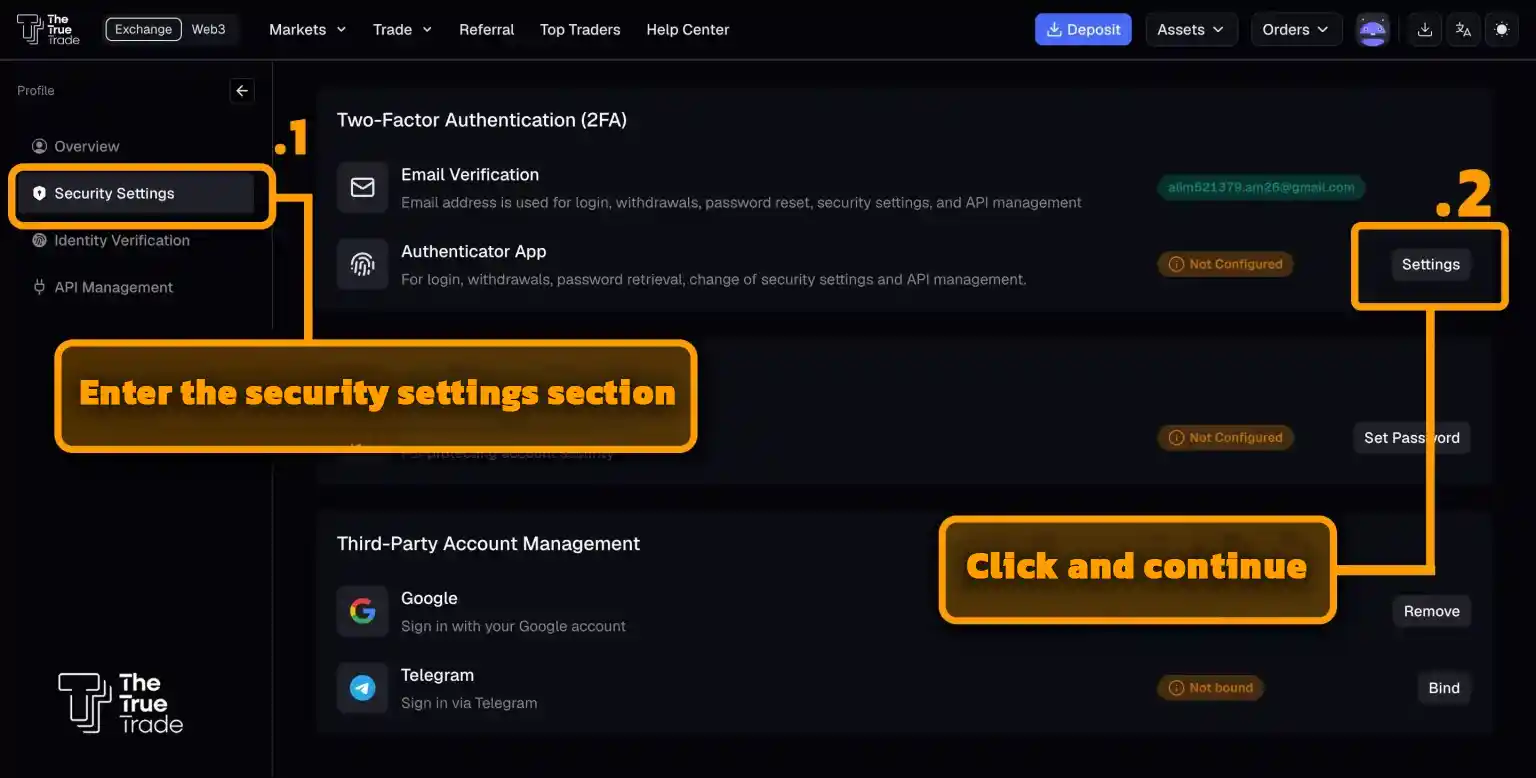
On the page that opens, select the Authenticator App option.
Next, by scanning the provided QR Code, you can download the Google Authenticator app for your mobile phone.
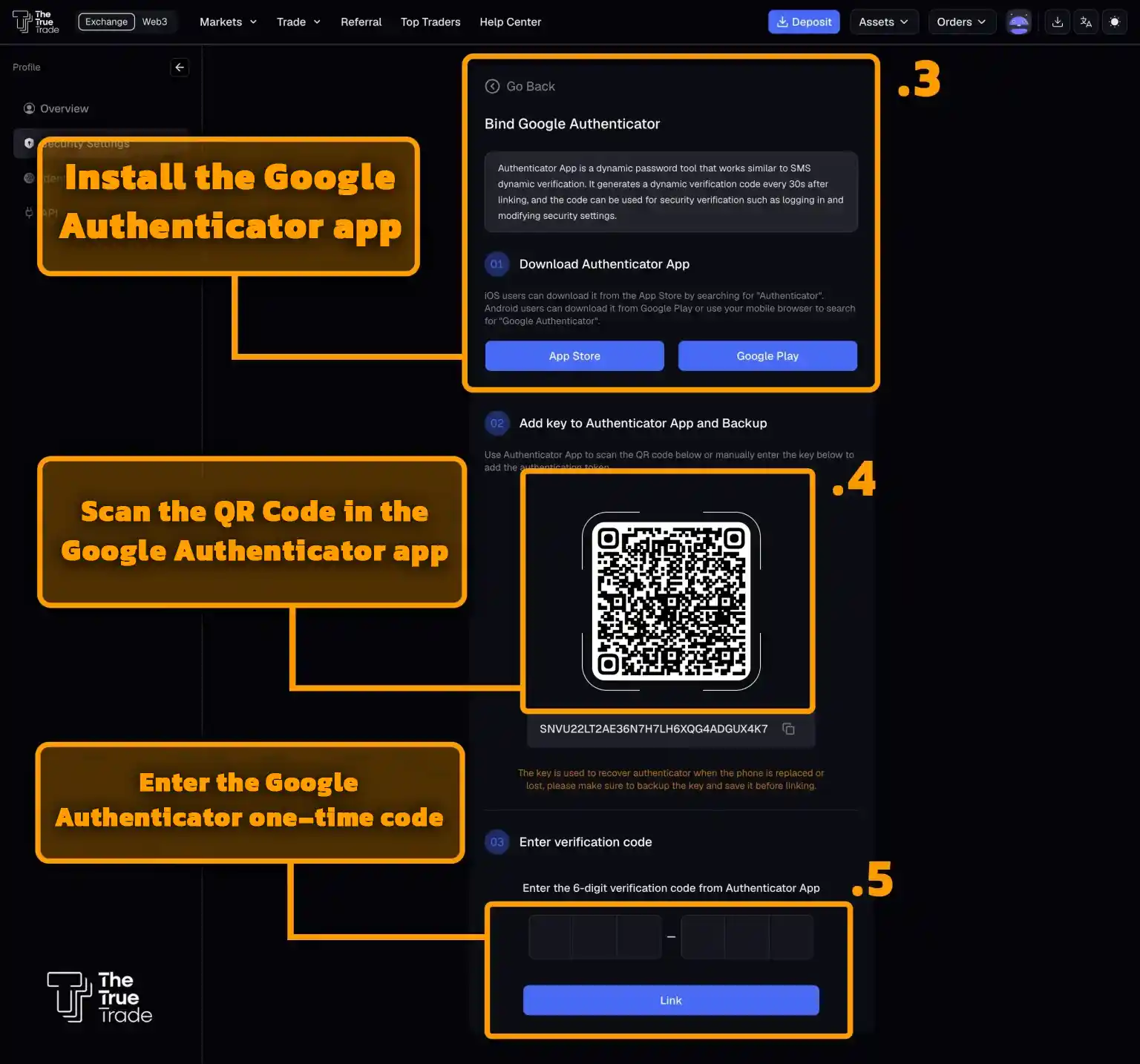
After activating the app, you will receive a verification code that will be mandatory from then on when logging in or withdrawing funds. This process is simple but crucial, and it is strongly recommended that you complete this step before starting any activity on the exchange.
How to Disable the 2FA Key
One of the key security features of The True Trade exchange is the 2-Factor Authentication (2FA) key, designed to protect your account during withdrawals or other sensitive actions. However, you might want to disable or invalidate your 2FA recovery key for various reasons, such as:
- You feel the key has been exposed to someone else.
- You have saved the key in an insecure location.
- You want to generate a new key from scratch.
To disable The True Trade’s 2-factor recovery key, simply log in to your account, click the purple robot menu at the top right, and select Security Settings.
Also, don’t forget that after registering on True Trade and receiving your referral code, you can attract referrals to your account and earn dollar profits from your sub-affiliates’ trades.
Final Words on Registering on The True Trade Exchange
In this guide, we have tried to provide a complete, visual tutorial on how to register on The True Trade exchange. Overall, the new site’s user interface is highly straightforward, meaning any new user can complete the registration steps with just a bit of attention.
Also, remember that if you encounter any problems during the trading, withdrawal, or account management stages, you can chat in real-time with The True Trade’s Live Support to resolve your issues. If you have any questions regarding how to register on The True Trade, how to deposit Tether, or anything else, feel free to ask in the comments section so our experts can assist you.


